Who can reach an app
An app's Settings tab has an Access section holding one choice: Private, Shared or Public. What that choice does depends on a cluster setting your administrator controls, and on when the app was last deployed. Read this page before you rely on it.
Who can use it: the Builder role or higher.
The three levels
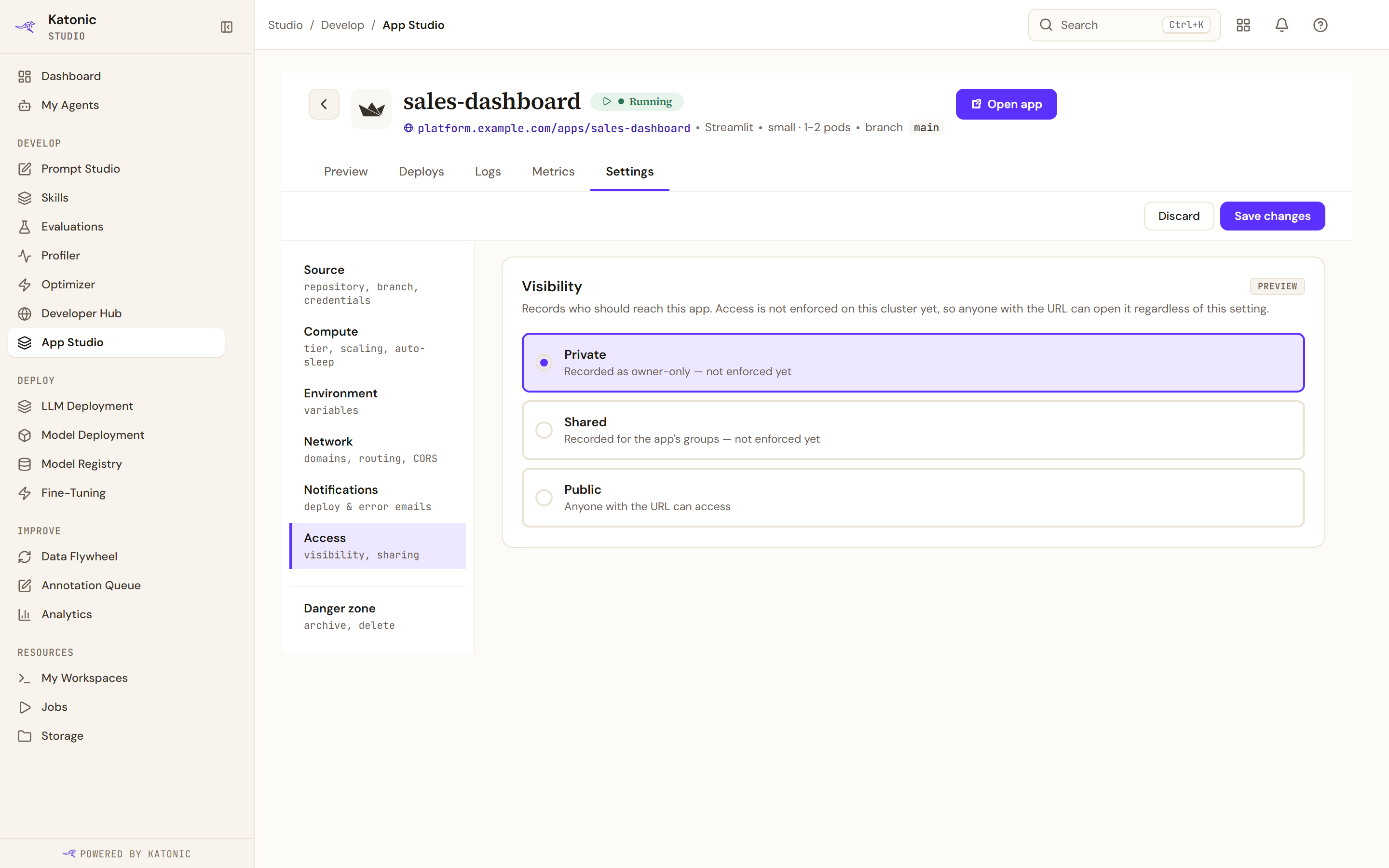
Private hides the app from other users in App Studio, and asks anyone who opens its address to sign in. Shared lets anyone in your organisation sign in, or only the groups you name. Public asks for nothing: anyone with the address can open it.
Shared takes group names, matched against the group claim in the signed-in user's identity provider token. That is not the same list as the teams you can see in Studio, so a name that looks right in Studio may mean nothing to the provider. Per person invitations and an audit trail are named as a later phase.
Whether it is enforced
The sign in front door is not part of the platform's edge. It runs alongside your app, and it is put there when the app is deployed. Two things therefore decide whether your setting is real: whether your administrator has turned enforcement on, and whether the app has been deployed since. The section tells you which of three situations you are in.
| What the section says | What it means | What to do |
|---|---|---|
| Access is not enforced on this cluster yet | Anyone with the address can open the app whatever you pick, and Private and Shared are labelled as recorded rather than enforced | Treat every app as public. Do not deploy anything that would matter if a stranger opened it |
| The app is still running the pod it was deployed with | Enforcement is on and this app missed it. Anyone with the address can still open it, whatever the setting says | Redeploy the app |
| The setting decides who can reach this app from a browser | The setting is real, and a change takes effect when you save | Nothing |
The middle row is the one that catches people, and it arrives without warning: the day enforcement is switched on, every app that already exists carries on exactly as before. Nothing about the app changes, and nothing tells its owner. Until you redeploy it, the app is open whatever its visibility says.
The section never claims protection it cannot confirm. Where the answer is unknown, it reads as not enforced.
What changing the setting does
Changing visibility on a running app takes effect without a restart, because visibility is not part of what the pod is built from. The record changes and the app keeps serving.
That is also why changing it cannot fix the second case above. If your app predates enforcement, moving it from Public to Private changes the record and nothing else. Only a redeploy gives the app its front door.
Promoting the app keeps its access. The production copy of a Private app still admits only its owner, a Shared app keeps its groups, and a Public app still asks for no sign in.
Redeploy an app to apply enforcement
- Check what the section says
Open the app, then Settings and Access. If it tells you the app is running the pod it was deployed with, it needs a redeploy.
- Confirm the visibility you want
Set Private, Shared or Public and save. This alone does not apply enforcement, but it is the value the redeploy will use.
- Redeploy
Save any change in Compute, or stop and start the app from the list's row menu. Either rebuilds the pod. The app is unavailable for roughly half a minute.
Verify
Where enforcement is on, open the app's address in a private browser window, signed out. A Private or Shared app that has been redeployed asks you to sign in. One that still opens straight to the app has not had enforcement applied yet, whatever its setting reads. This is the only check that tells you which you have, because the setting alone does not.