Compare and deploy
Two stages decide whether a round ships: a like-for-like comparison against the version in production, and a gated rollout.
Who can use it: anyone in Studio can read both. Promoting or rolling back needs an administrator or the release approver grant.
Compare
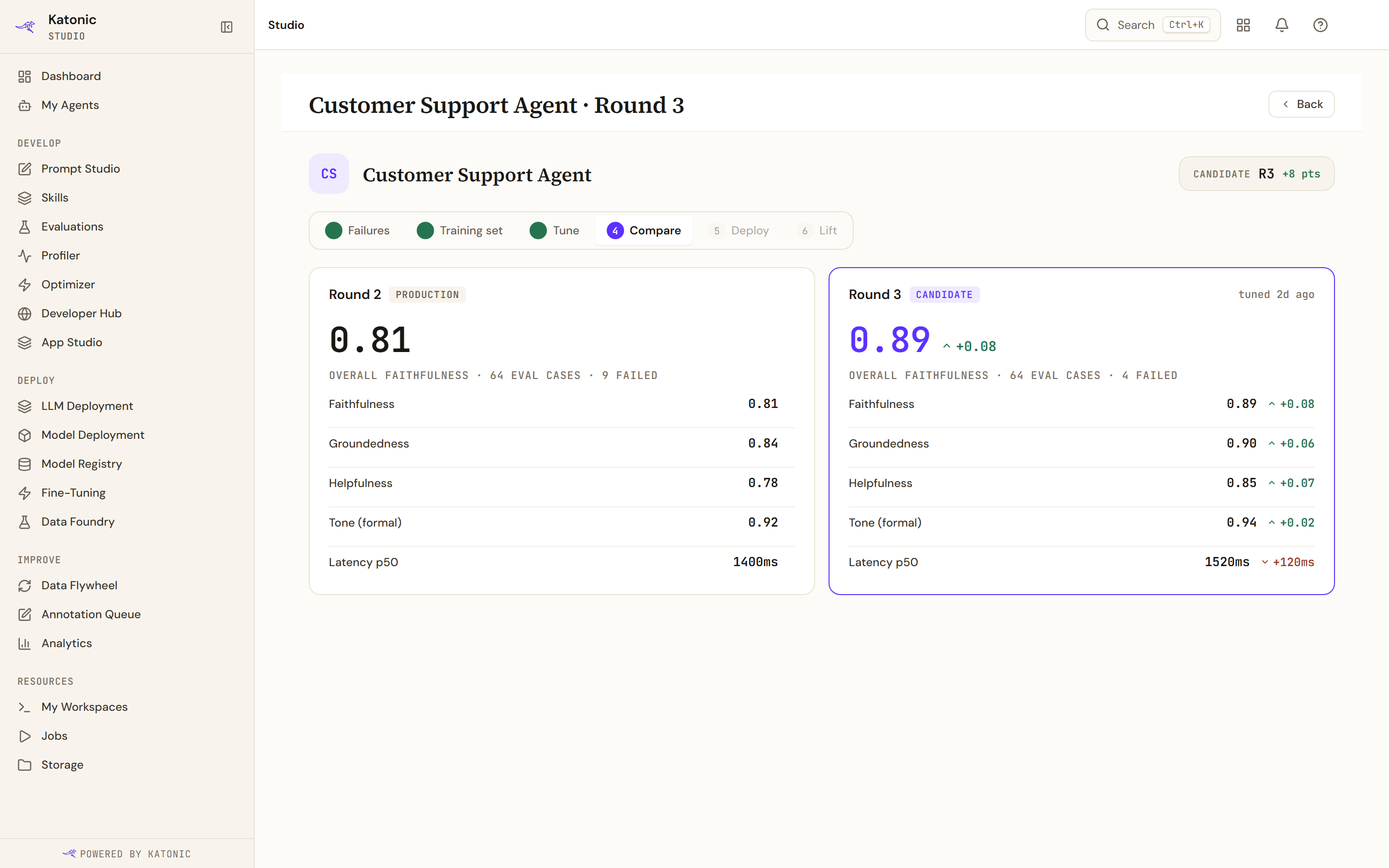
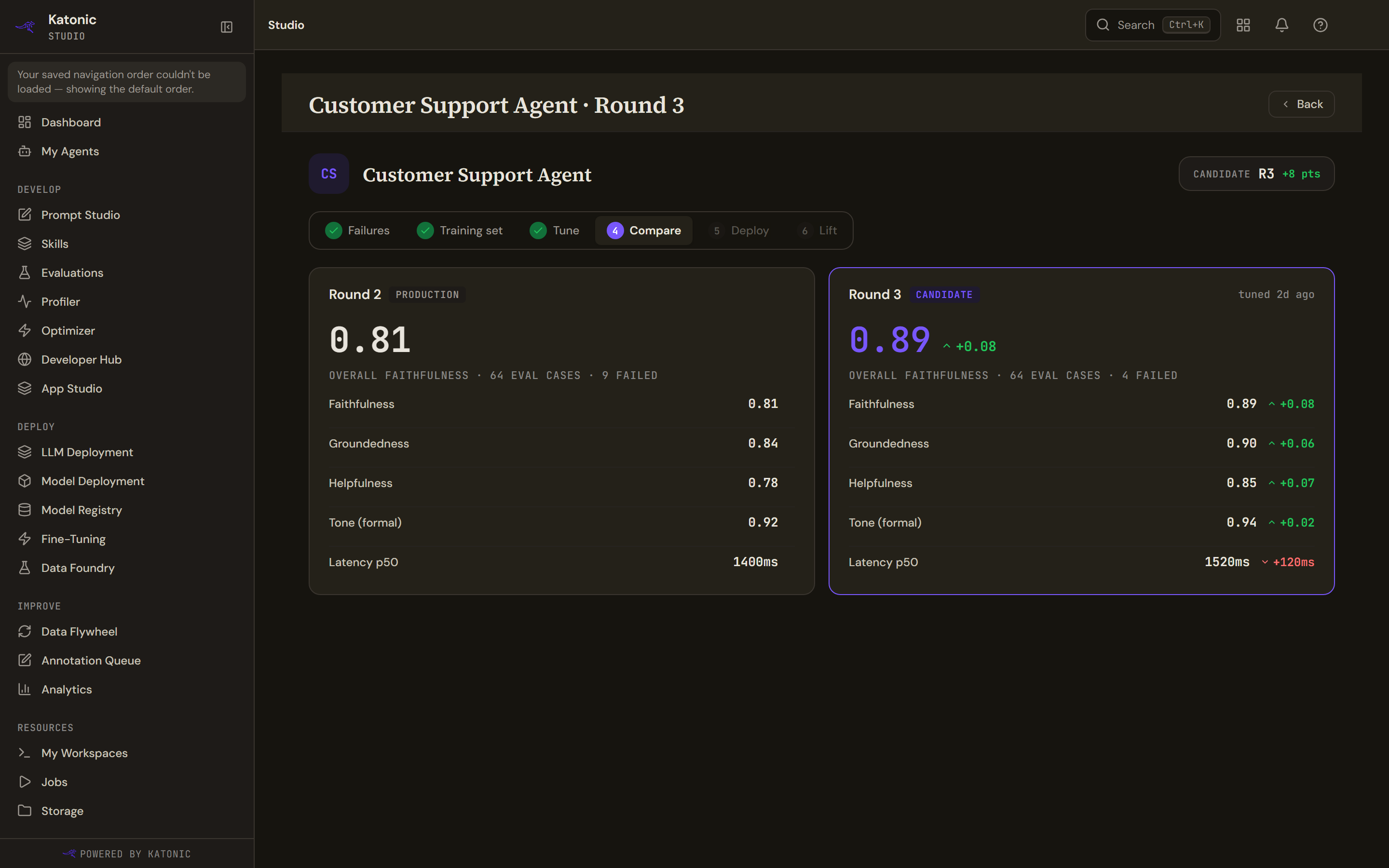
Two columns, the previous round marked Production and this one marked Candidate, with the overall faithfulness score at the top of each and a change arrow on the candidate side. Underneath is a ladder of five measures: faithfulness, groundedness, helpfulness, tone, and p50 latency, where lower is better and the arrow is inverted to match.
Every number here comes from the evaluation run, not from production traffic. Each column also says how many evaluation cases ran and how many failed.
Nothing on this page is computed in your browser beyond rounding. If the evaluation has not finished, the page says the comparison is not ready rather than showing a half-filled ladder.
Deploy
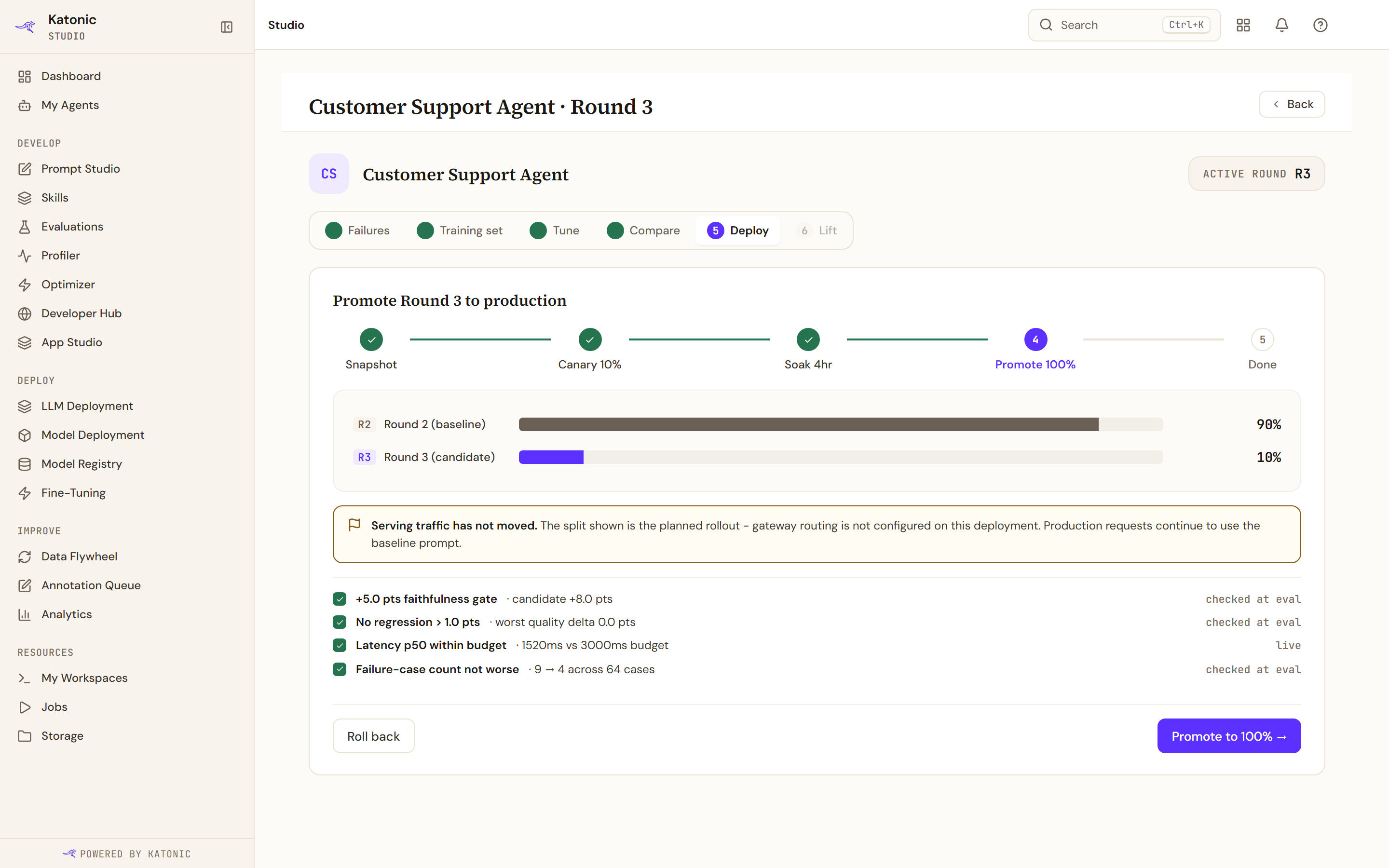
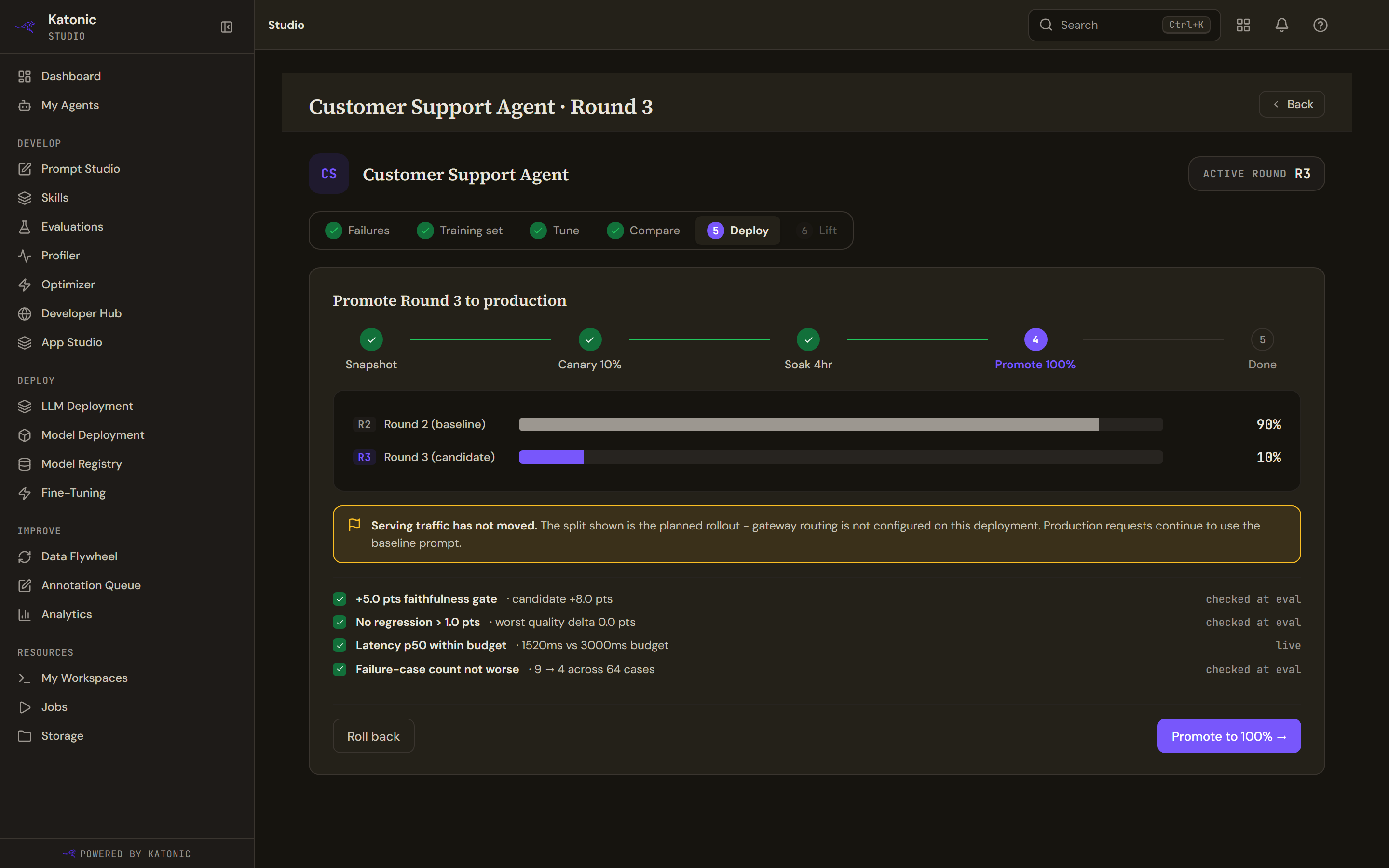
A five-step rail: snapshot, canary at the round's own percentage, soak for the round's own number of hours, promote to everything, done. The steps name the round's configured values rather than a fixed ten percent and four hours.
Two bars show the split between the previous round and the candidate.
Read the bars as intent. A banner says serving traffic has not moved, and today it always says that: the gateway integration that would actually shift traffic is not deployed, so nothing reports a shift back. The bars show what the round asked for, not what users are getting.
The promotion rules
The checklist under the bars is assembled in your browser from the round's gates and its measured numbers, because the platform does not send a ready-made list. It covers the faithfulness lift required, the maximum regression allowed, a latency budget if one was configured, and a softer signal that the failing-case count did not get worse. Each row is marked checked, failed or pending, with a tag saying whether it was checked at evaluation time or is live.
Promoting and rolling back
Promote to 100% → is enabled only while the canary is active, and asks to confirm before it moves.
Roll back asks for a reason in free text and is disabled once the round has reached any terminal state, so a promoted or already rolled-back round cannot be rolled back twice.
A round that failed says so in its heading, with the reason where one was recorded.
What a round can end as
A round ends as promoted, rolled back, failed or abandoned. Abandoning is available from every stage except an active canary, where rolling back is the only way out.