Failures and starting a round
An agent's flywheel page opens on its failures. This is the only stage you can reach before a round exists, and the decisions you make here are what a round is built from.
Who can use it: the Builder role, on an agent you own, or an administrator.
Where clusters come from
A clustering job reads the agent's low-scoring production traces and groups them by the theme they share. Whether it runs on a schedule depends on the deployment, and the page tells you which: an empty page reports when the job last ran and when it runs next, or says it has not run here yet and a platform administrator can start it. It used to print a Python module path instead.
The card says clusters re-cluster every fifteen minutes and are frozen during an active round. Freezing is the important half: once a round starts, the clusters it was built from stop moving, so the round is measured against a fixed set.
Reading a cluster
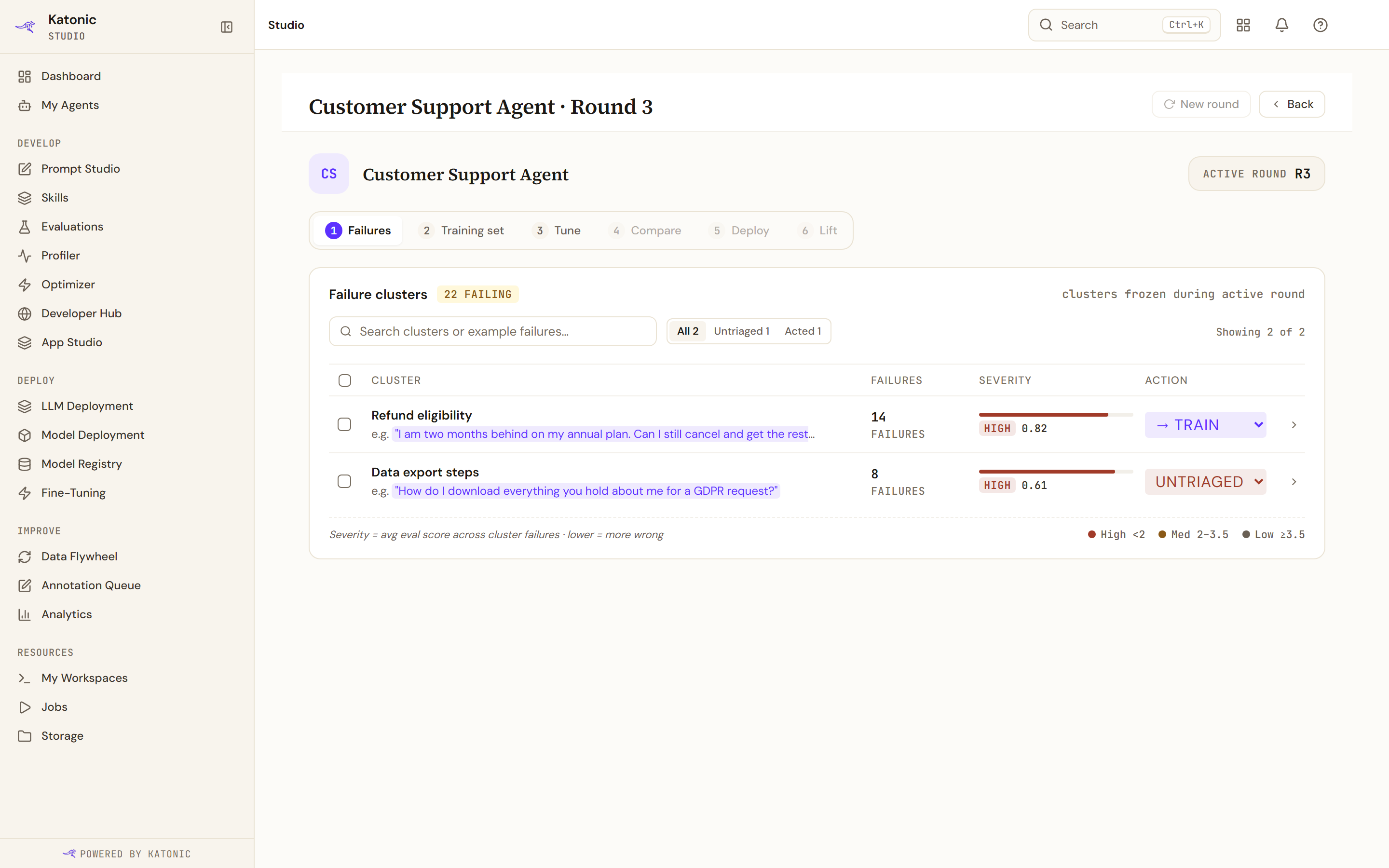
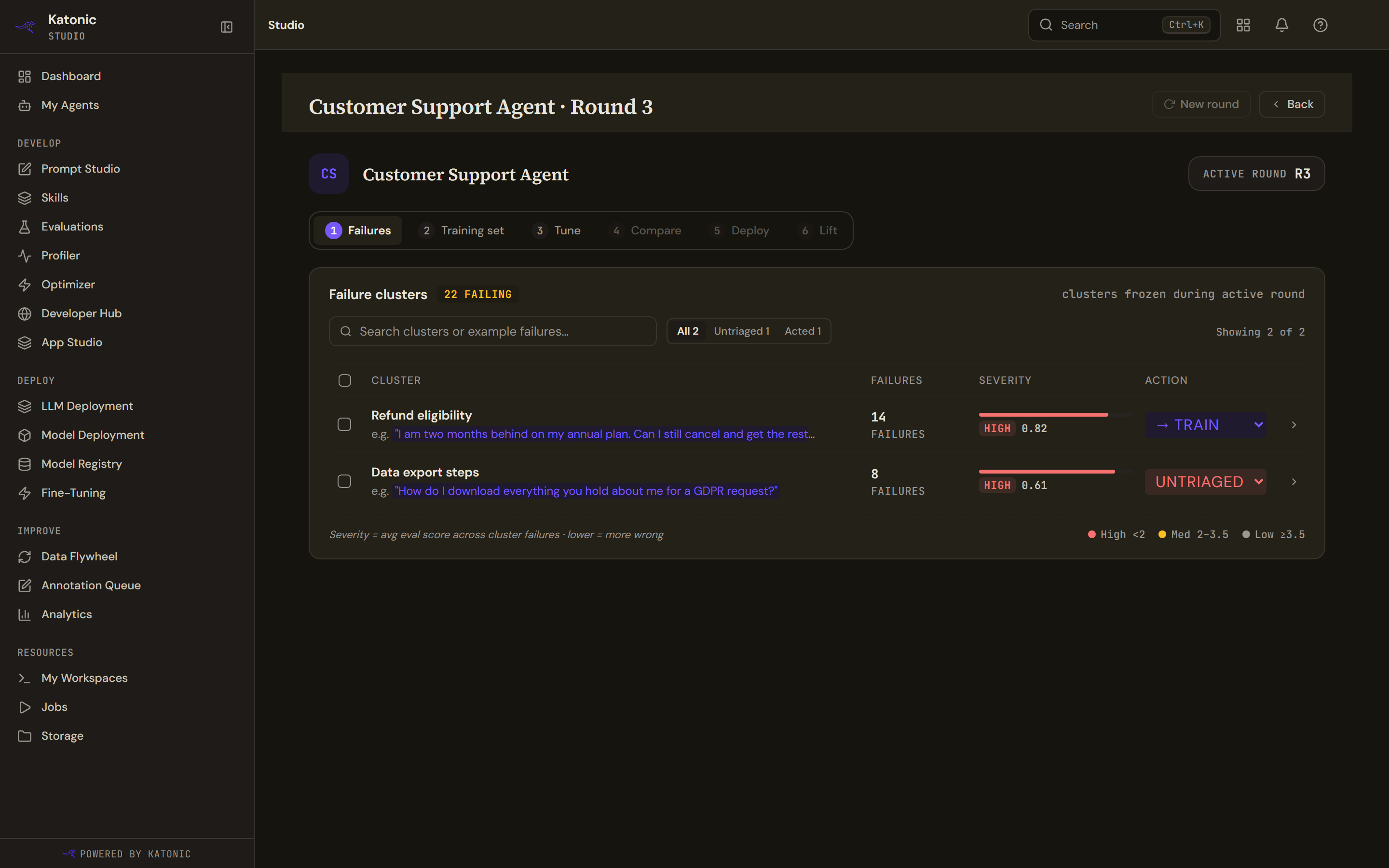
Each row gives the theme, an example failure quoted from a real trace, how many failures it holds, a severity score and its state.
Severity runs on the judge's nought-to-five scale, and lower is worse. The tiers follow from that.
| Tier | Severity score |
|---|---|
| High | Below 2.0 |
| Med | 2.0 up to 3.5 |
| Low | 3.5 and above |
The legend on the page reads those thresholds from the same constants the tiers use, so it cannot drift from them.
The search box matches the theme and the example text. The segment above the table filters to All, Untriaged or Acted.
The triage states
Each row's state is a dropdown with six values.
| State | What it means |
|---|---|
| Untriaged | Nobody has looked at it |
| → Train | Include it in the next round's training set |
| Review | Flagged for a person to read, not for training |
| Ignored | Not a real failure, or not worth fixing |
| Trained ✓ | Already used by a round |
| Deferred | Real, but not now |
Selecting several rows brings up a bar offering Defer, Ignore, Mark for review and Route to training for all of them at once. Renaming a theme is allowed, and a renamed one is tagged edited so nobody mistakes your wording for the judge's.
Starting a round
New round is enabled once at least one cluster is routed to training and no round is already running. When it is disabled, hovering it says which of those two is the reason.
A banner appears above the table when the threshold is met, naming the counts and offering Start round →. Take that as the intended path rather than the button in the header.
The round that is waiting
A second banner says a round is waiting to build its training set. That happens when a round exists in the review stage with clusters routed but nothing harvested, usually because the round was created automatically and never had clusters frozen into it.
Build training set → pushes it forward by hand. It is an escape hatch, not part of the normal path, and it is worth using rather than starting a second round.
What is not here
The messages that explain a disabled New round are the only strings on the page that are not translated, so they stay in English in every locale. A disabled Settings · Soon badge used to sit beside that button and has been removed.