Training set and tune
Two stages sit between triage and a candidate: the training set the round was built from, and the edits proposed from it.
Who can use it: anyone in Studio can read both. Accepting or rejecting a proposed edit needs an administrator or the release approver grant.
The training set
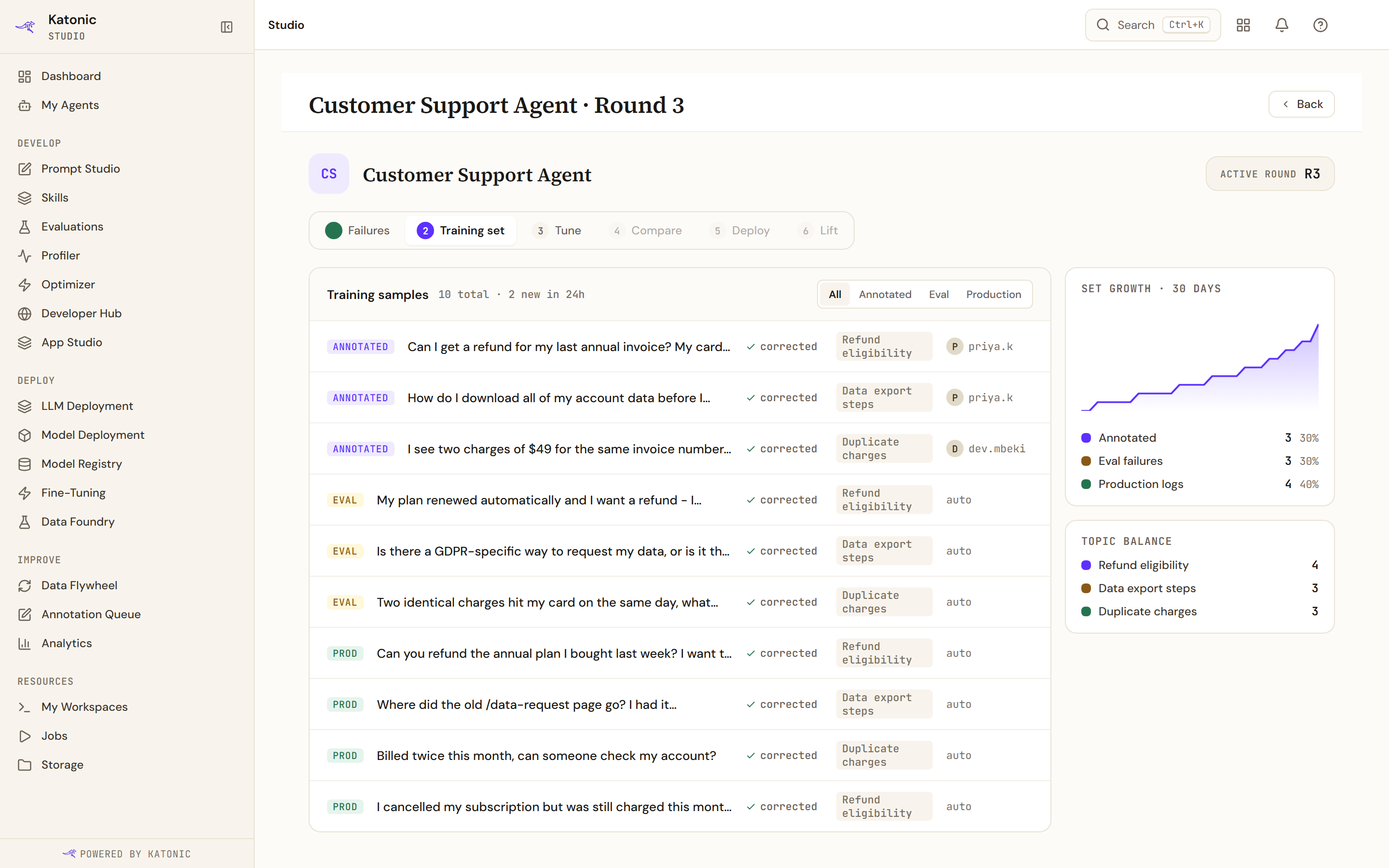
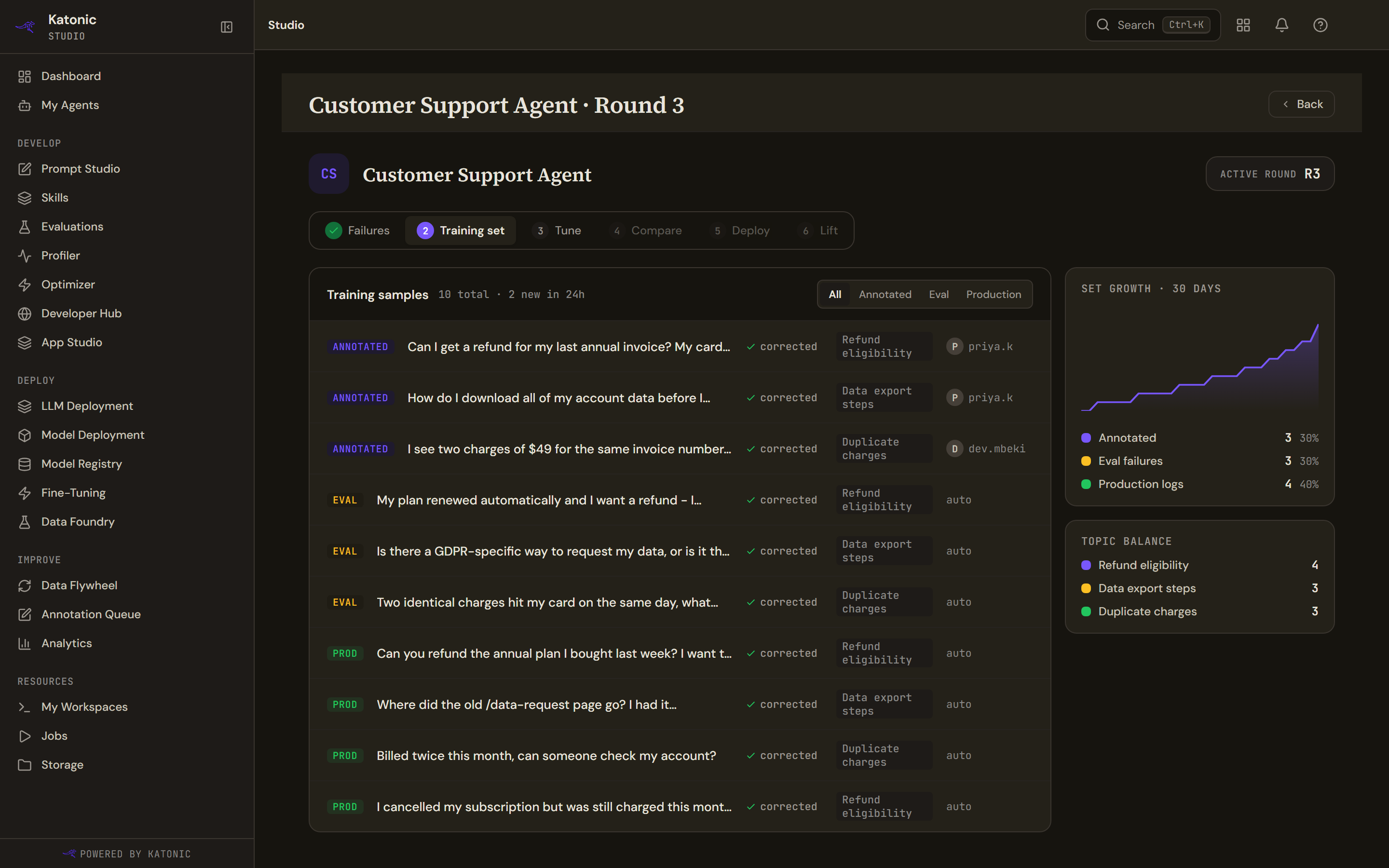
One row per sample, each tagged with where it came from: Annotated from the annotation queue, Eval from failed evaluation cases, or Prod mined from production. The filter above the table offers All, Annotated, Eval and Production.
Each row shows the question, the topic it was grouped under, and who wrote it or auto where nothing did.
Every row also carries the word corrected with a tick. It is printed on every row regardless of whether anyone corrected anything, so it tells you nothing. Read the source tag instead.
The table holds two hundred rows. When there are more, the count above says it is showing a subset, and this matters for the two cards beside it.
Set growth plots the set's size across thirty days. Topic balance ranks the five commonest topics. Both are drawn in your browser from the rows in the table, so when the table is truncated both describe the two hundred most recent samples, not the set. The growth card says so when that happens.
If the set is empty, the harvest job has not run yet. It runs after clusters are approved for training.
The round's configuration
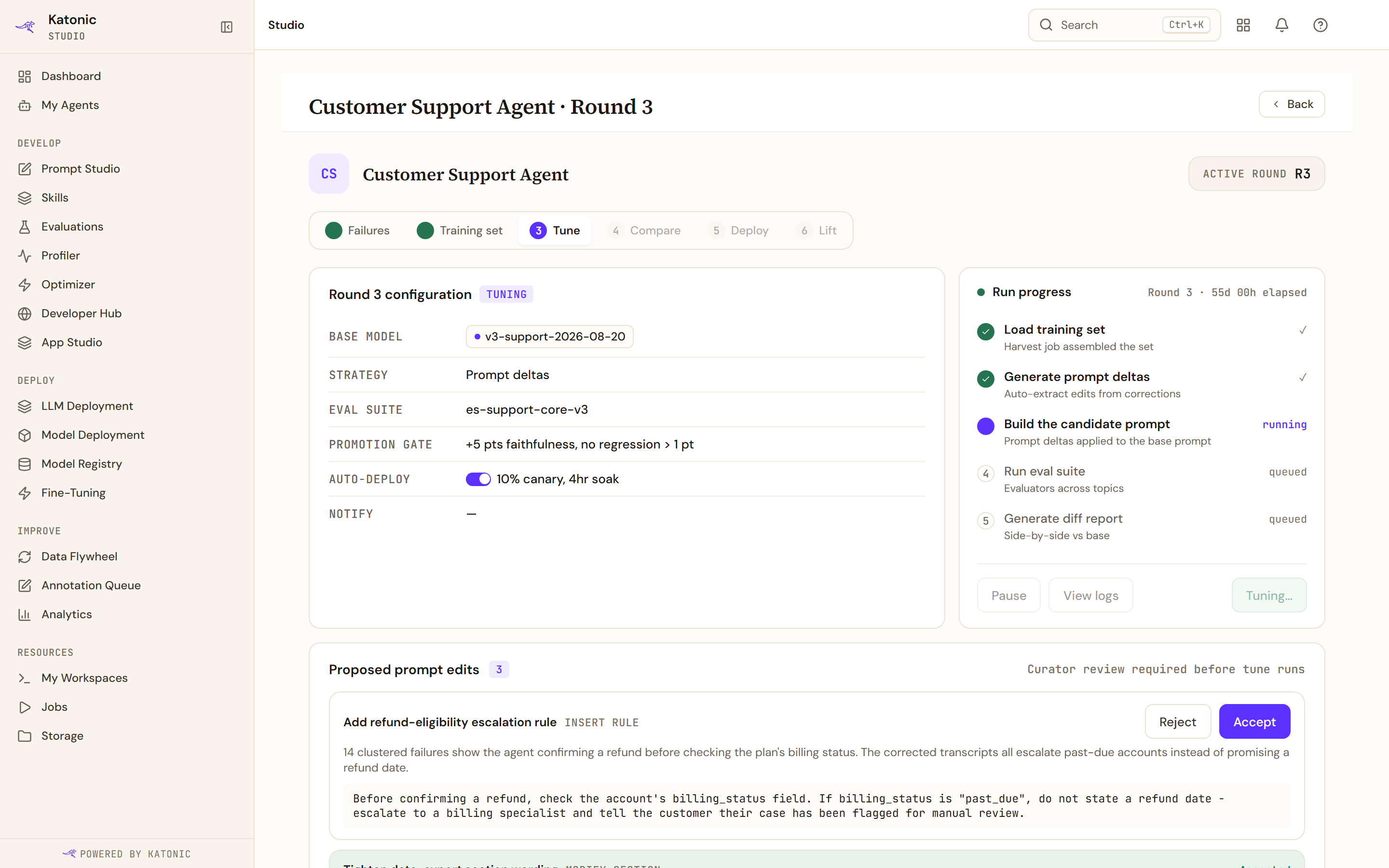
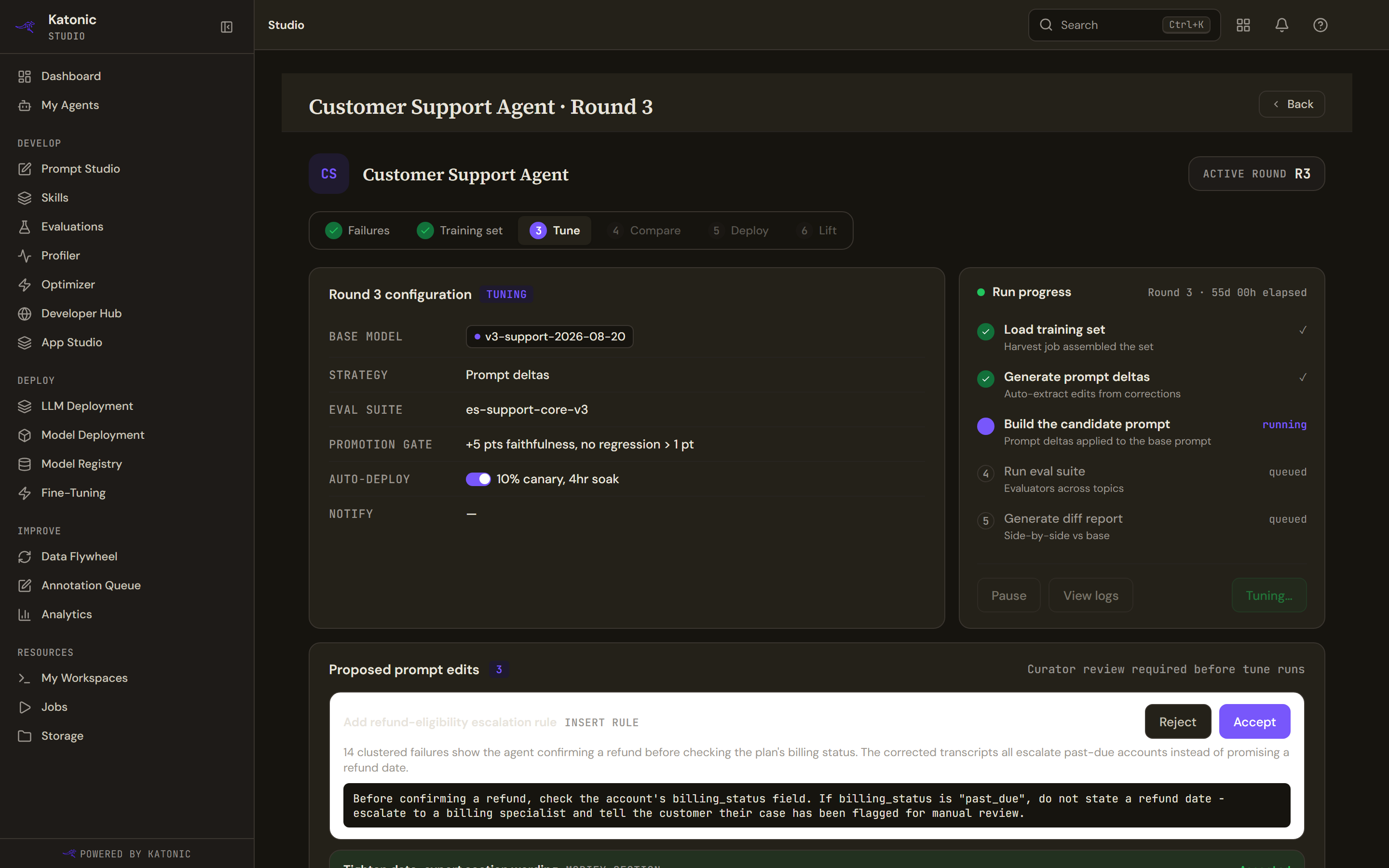
The configuration card names the base model, the strategy, the evaluation suite, the promotion gate, the auto-deploy plan and where notifications go.
Strategy reads prompt_only, and that is the only value this version has.
The case count beside the evaluation suite is the number of evaluation cases, not the size of the training set. The platform does not record a training-set size here, and this is the nearest thing to it.
The auto-deploy control looks like a switch and is not one. It has nothing behind it and shows the canary percentage and soak window the round was configured with.
Run progress
Five steps: load the training set, generate prompt deltas, LoRA fine-tune, run the evaluation suite, generate the diff report.
The third is a label with nothing behind it in this version. A progress bar appears only when the platform reports a percentage, and it usually does not, so the steps are the only signal. Pause and View logs at the foot of the card are both permanently disabled.
Proposed prompt edits
This is the gate. The round will not run its evaluation until enough of these are accepted.
Each proposed edit gives a description and its kind: inserting a rule, modifying a section, adding an example, or changing a constraint. Accept takes it. Reject asks for an optional reason.
Read them as edits to the agent's instructions, because that is exactly what they are. Nothing here changes a model.