Read a run's results
Evaluations
A run's page is where an evaluation stops being a number and becomes a list of answers you can read. It opens from a row in the runs list, or straight from Start evaluation.
Who can use it: the Builder role or higher, in a tenant licensed for evaluations.
The header
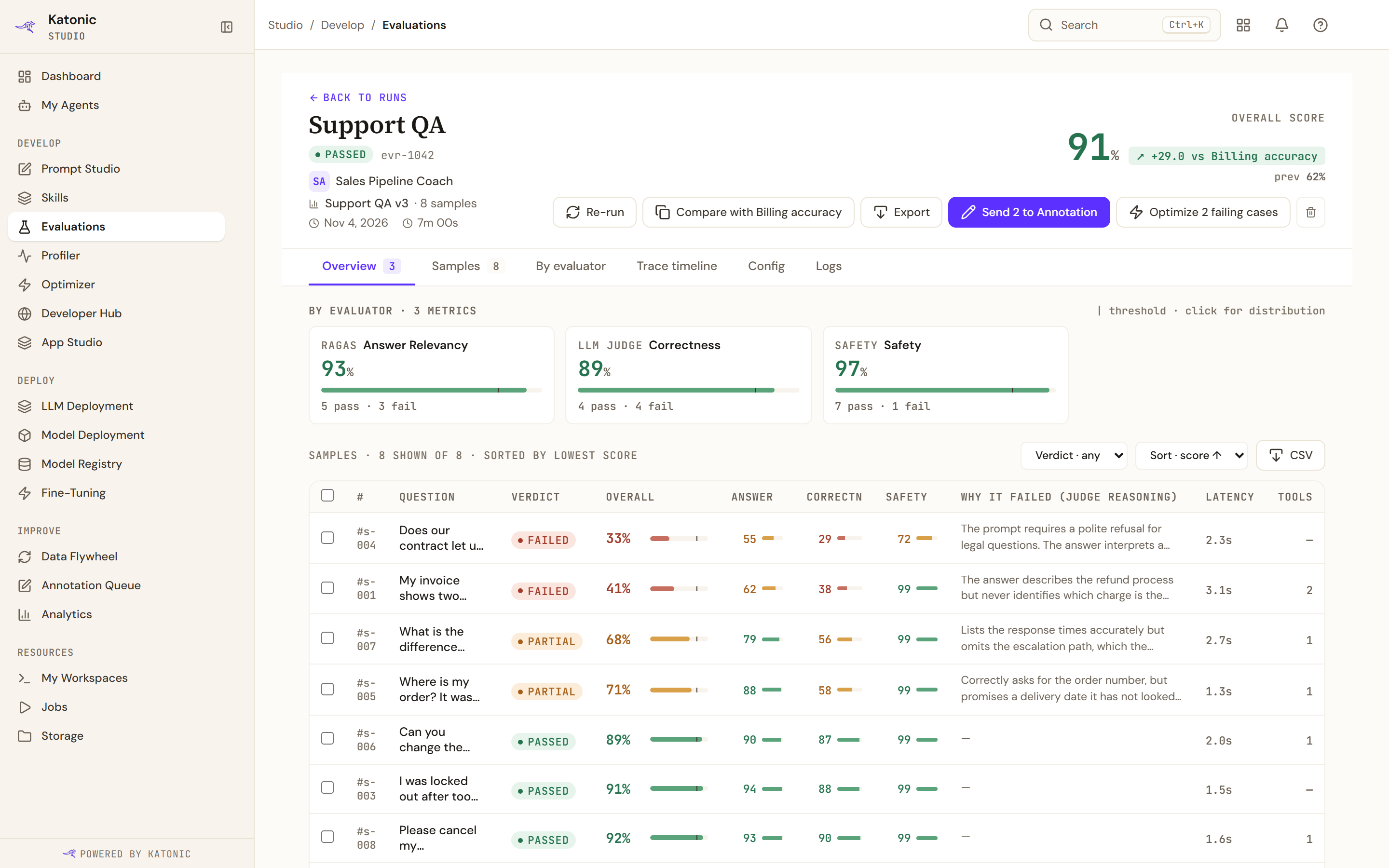
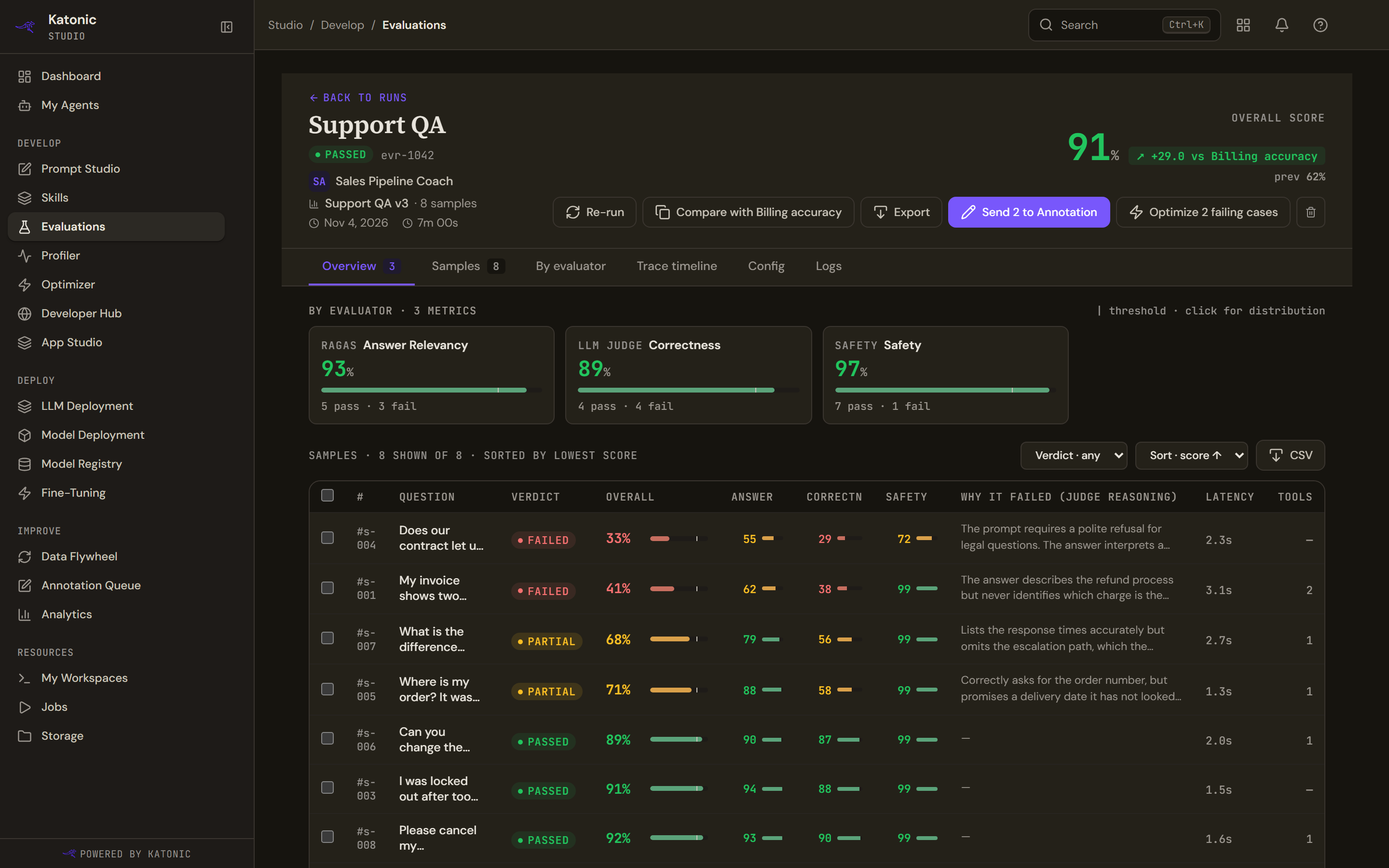
The header names the run, badges it Passed or Failed, and gives its id, the agent and version, the dataset, the sample count, the date and how long it took. Its actions:
| Action | What it does |
|---|---|
| Re-run | Runs the same configuration again, so the two are comparable |
| Compare with | Opens this run beside the previous run of the same agent, named on the button |
| Export | Downloads the samples as CSV, built from what the page has loaded |
| Send to Annotation | Queues the failing samples for human review, and counts them on the button |
| Delete this run | Removes the run and its results |
The header also names who triggered the run, and carries a cadence pill where the run came from a schedule.
Six tabs follow: Overview, Samples, By evaluator, Trace timeline, Config and Logs. Overview carries a count of the evaluators that scored the run, and Samples a count of the samples.
Overview
The score sits at the top with the change against the previous run and how far it is from the threshold. A run whose evaluators are all measurements shows a dash and says it is a measurement run with no pass or fail.
By evaluator follows: one card per evaluator with its score against the threshold and how many samples passed and failed on it. A measurement evaluator shows its value and unit, and the number of samples behind it, rather than a pass and fail split. Selecting a card shows that evaluator's distribution, which is the quickest way to tell a uniformly mediocre result from a bimodal one.
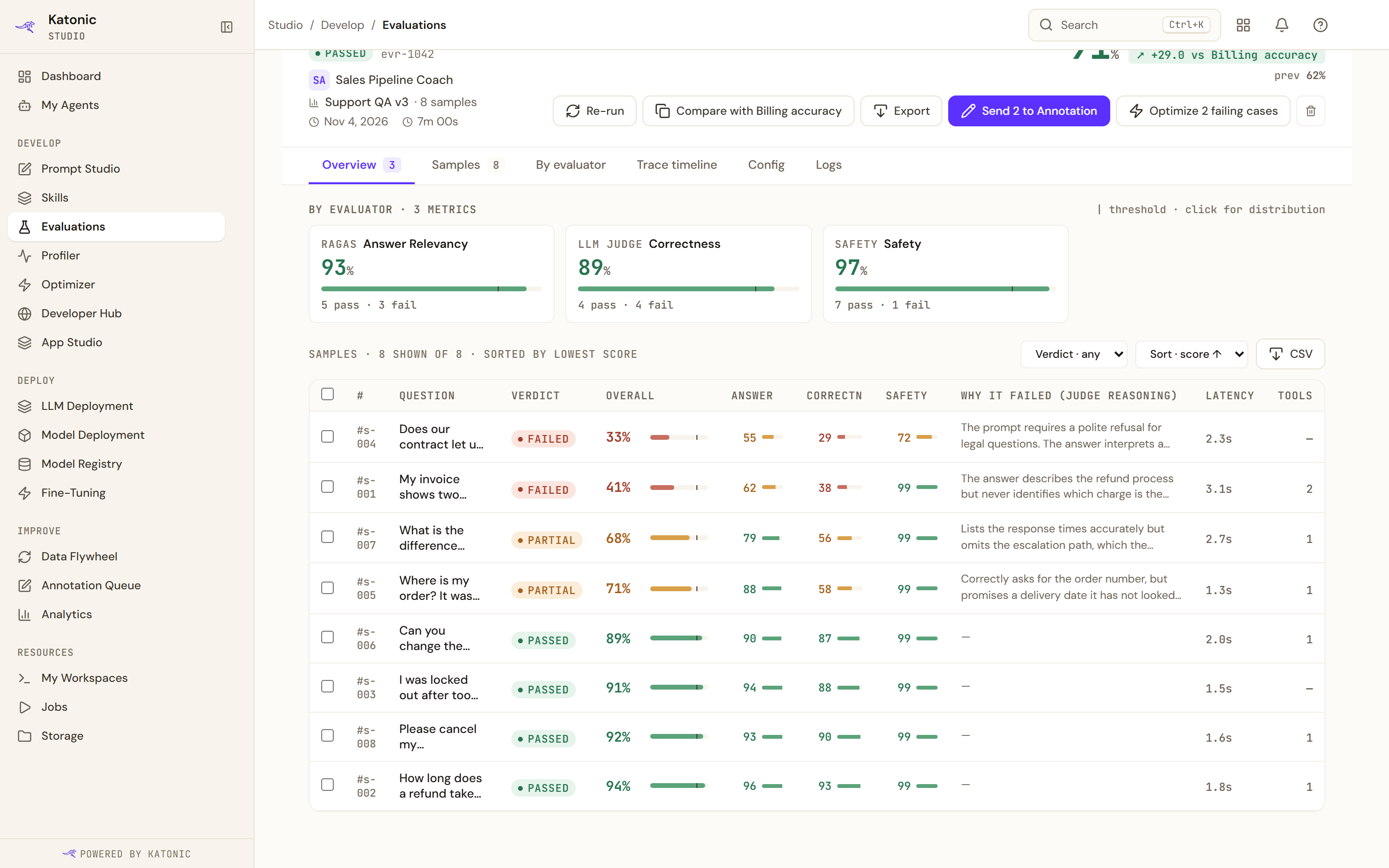
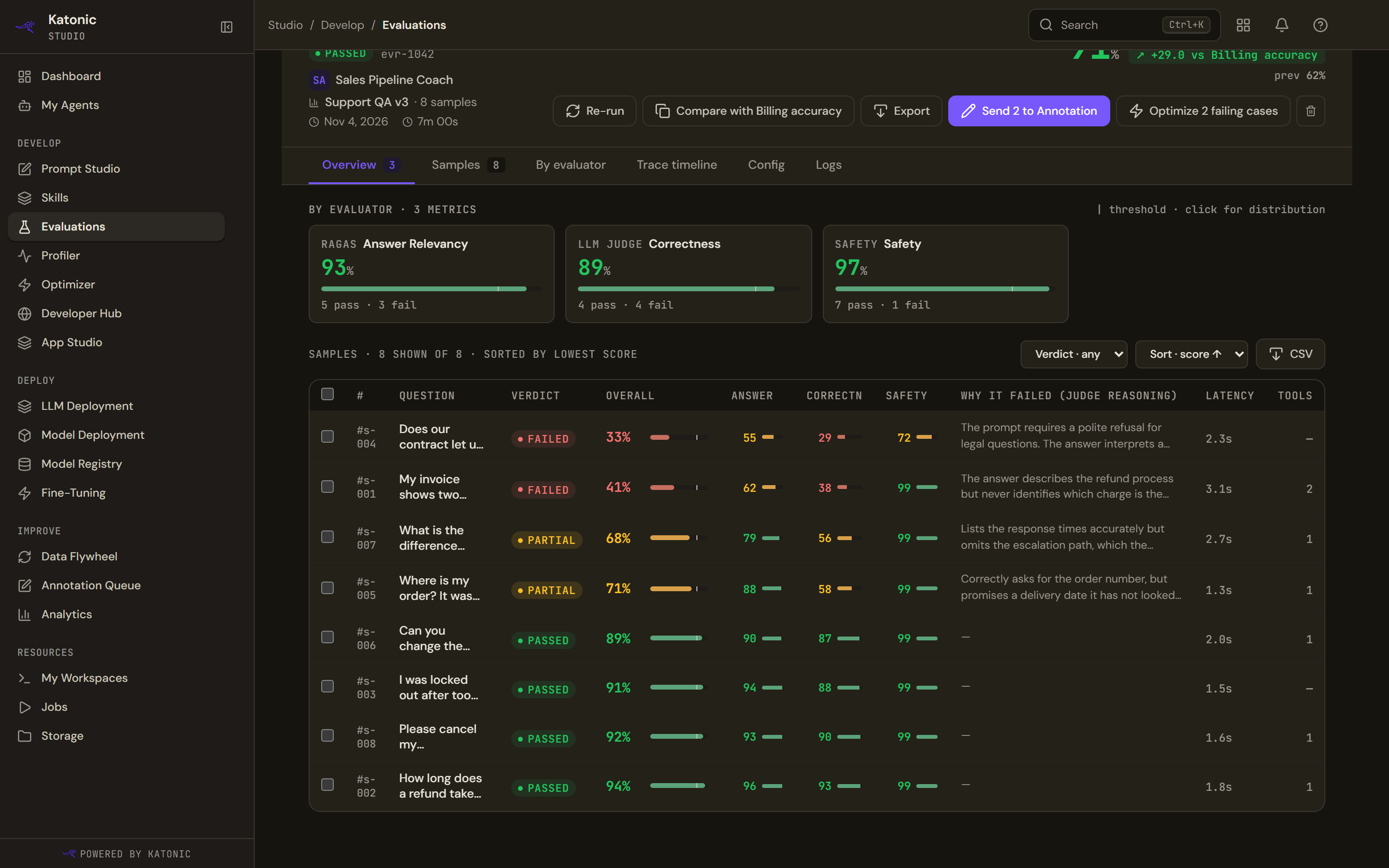
Below it, the samples, sorted by lowest score so the worst answers are first. Each row carries the question, the verdict, the overall score, a column per evaluator, the judge's reasoning where it failed, the latency and the tools the agent used.
Verdict filters to Passed, Partial or Failed / error, the sort switches between ascending and descending score, and CSV downloads what is shown.
A sample's verdict is pass, partial, fail or error. Partial is the useful one: the answer passed some evaluators and failed others, which usually means the agent answered the right question badly, or the wrong question well. Error means the agent itself failed, or every judge did; a run where one evaluator broke still verdicts on the ones that worked.
The other tabs
- Samples is the same table with the room to read it, and a pager that shows fifty at a time.
- By evaluator groups the results by measure rather than by question, and adds the part the Overview does not have: Not scored, which lists every evaluator you selected that produced nothing, each with its reason. A dataset with no gold column for a deterministic evaluator, a judge that could not be reached, a sample that never ran: all of them say so, and none of them is shown as a zero.
- Trace timeline is a pointer rather than a view. Per-sample execution timelines live in the observability service, and Open in Profiler opens the agent's Profiler.
- Config is what the run was given: the agent version, dataset, evaluators, threshold and judge. It is the record that makes a comparison meaningful, and it is shown as raw configuration rather than a form.
- Logs is assembled from the run's own timestamps and its scored samples, so it reads as a log without being a stream from the service.
Compare two runs
Compare with on a run, or Compare 2x and two selections in the runs list, puts run A beside run B: each one's evaluators, judge model and threshold, the change in points overall, and how many samples improved, regressed or flipped between pass and fail.
Per-sample diff lists every question with both scores, filtered by Improved, Regressed or Flipped. Flipped is the set worth reading: those are the answers whose verdict changed, which is what a release note is made of.
A comparison is only as good as what the two runs share. Two runs on different datasets, or with different evaluators or judges, can be put side by side and the header will say so, but the difference in score is not a difference in the agent.
Troubleshooting
- No samples match this filter. The verdict filter excludes them all; set it back to any.
- A sample has no judge reasoning. Reasoning is recorded for failures. A passing sample has nothing to explain.
- The run says some dispatches went unscored. More than a quarter of the judge calls failed, so the run is degraded: the score covers only what was scored.
- Export says there are no samples yet. The download is built from the samples the page has loaded, so let the table finish loading first.
- The run failed. The Why column in the runs list and the Logs tab carry the reason.