Follow sync runs and logs
Knowledge
Every sync of a knowledge source is a run, whether the schedule started it, you selected Sync now, or you forced a Reindex. A source's detail page tells the story at three depths: the status pill in its header, the Runs tab with one row per run, and the Logs tab with the engine's own log lines.
Who can use it: the Admin role or the Knowledge Admin grant, in a tenant licensed for knowledge, on a source's detail page in Knowledge Management in the Control Room.
Prerequisites
- A source. Runs and logs appear once its first sync has started; a schedule of Manual means nothing starts one on its own.
What a run is
Sync now processes only new, changed and deleted files, so once a source is fully indexed a healthy run touches few documents or none. Reindex re-embeds every document from scratch. Either way the source's status pill summarises the outcome:
| Status | Meaning |
|---|---|
| Never synced | No sync has ever finished, so nothing is searchable yet. |
| Pending | The source is created or queued and its run has not started. |
| Syncing or Running | A run is in progress. Pause replaces Sync now, the header says Processing - stats will update automatically, and the tiles refresh every few seconds. |
| Synced | The last run finished, the source holds every document the connector reported, and nothing failed. |
| Partial | The source holds fewer documents than the connector discovered, or the last run recorded an error or failed documents. The banner Some documents failed counts them. |
| Empty | The run finished but every document produced no chunks, so nothing is searchable. |
| Failed | The last run failed. The banner Sync Failed shows the error. |
| Paused | Syncs are suspended. A source that has been switched off shows Start instead of Sync now. |
An unrecognised status reads Unknown. An incremental run that processed a handful of documents, or none, is not partial: Partial is judged on what the source holds against what the connector reported, and on errors, never on how much one run touched.
Read the Runs tab
- Open the tab
In the Control Room, open Knowledge, select the source's row, then Runs.
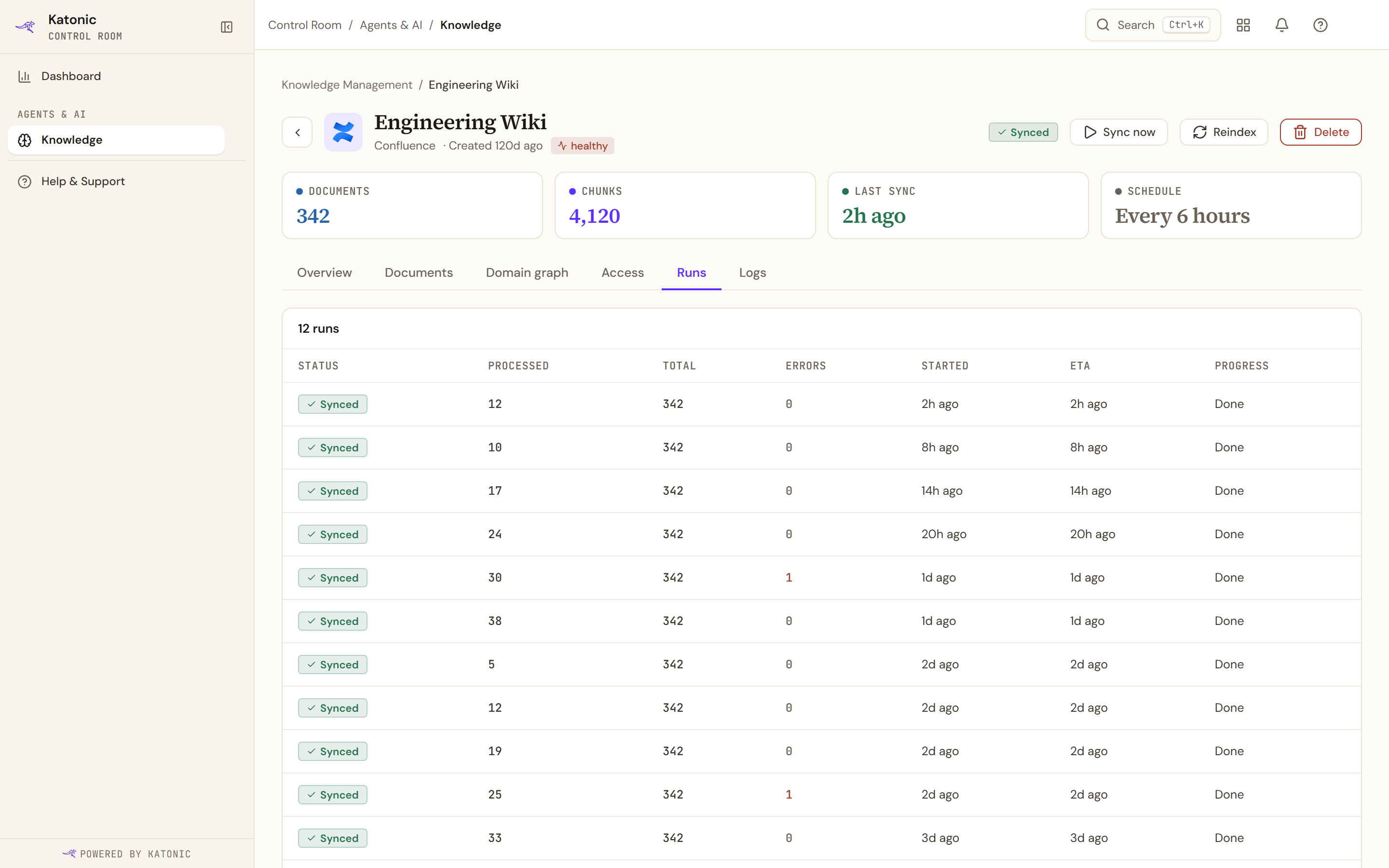
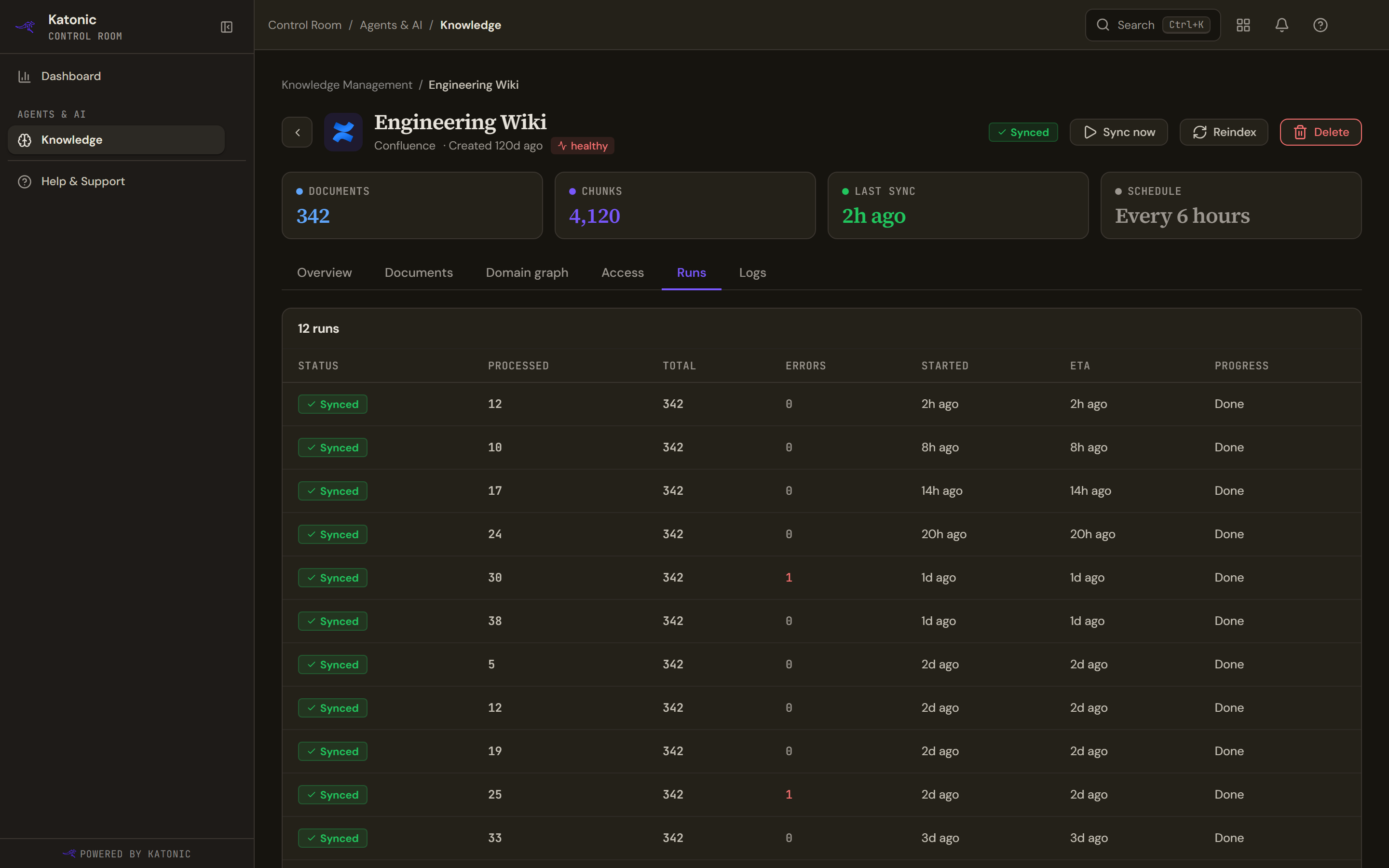
The Runs tab lists one row per sync run. Processed counts the documents that run touched, Total the documents the connector discovered, and Errors the documents that failed; Progress reads Done once a run has finished. The card title counts the runs. When it reads 200 most recent runs the table has hit its ceiling and is a sample of the history, not all of it.
- Read a row
Status is the run's pill: Synced for a completed run, Failed for a failed one, Syncing for the run in progress, which sits at the top with a live Progress bar. Processed counts the documents that run touched and Total the documents the connector discovered, so a small number over a large one is normal after the first sync. Errors counts documents that failed in that run. Started is when it began; ETA is the expected finish of a running run or the finish time of a completed one; Progress reads Done once complete.
Runs refresh on their own while a sync is active, for a minute after you start one, and while any document is still pending or processing. No sync runs yet - trigger a sync to see run history means no run has started.
Read the Logs tab
- Open the tab
Select Logs. A dark console panel headed Logs opens with Refresh and a close control (the cross) that returns you to Overview. It fetches the log when you open it and does not refresh by itself.
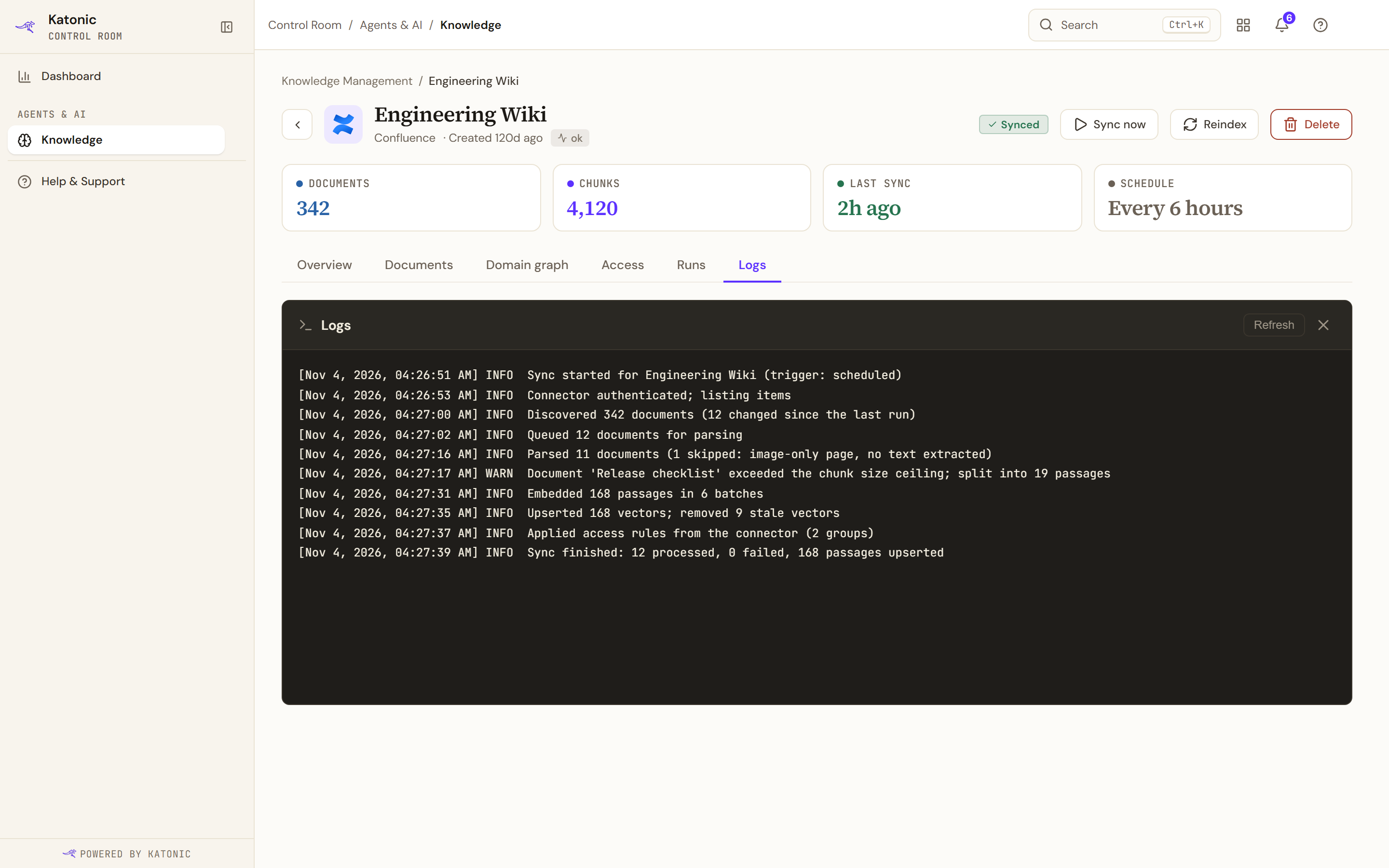
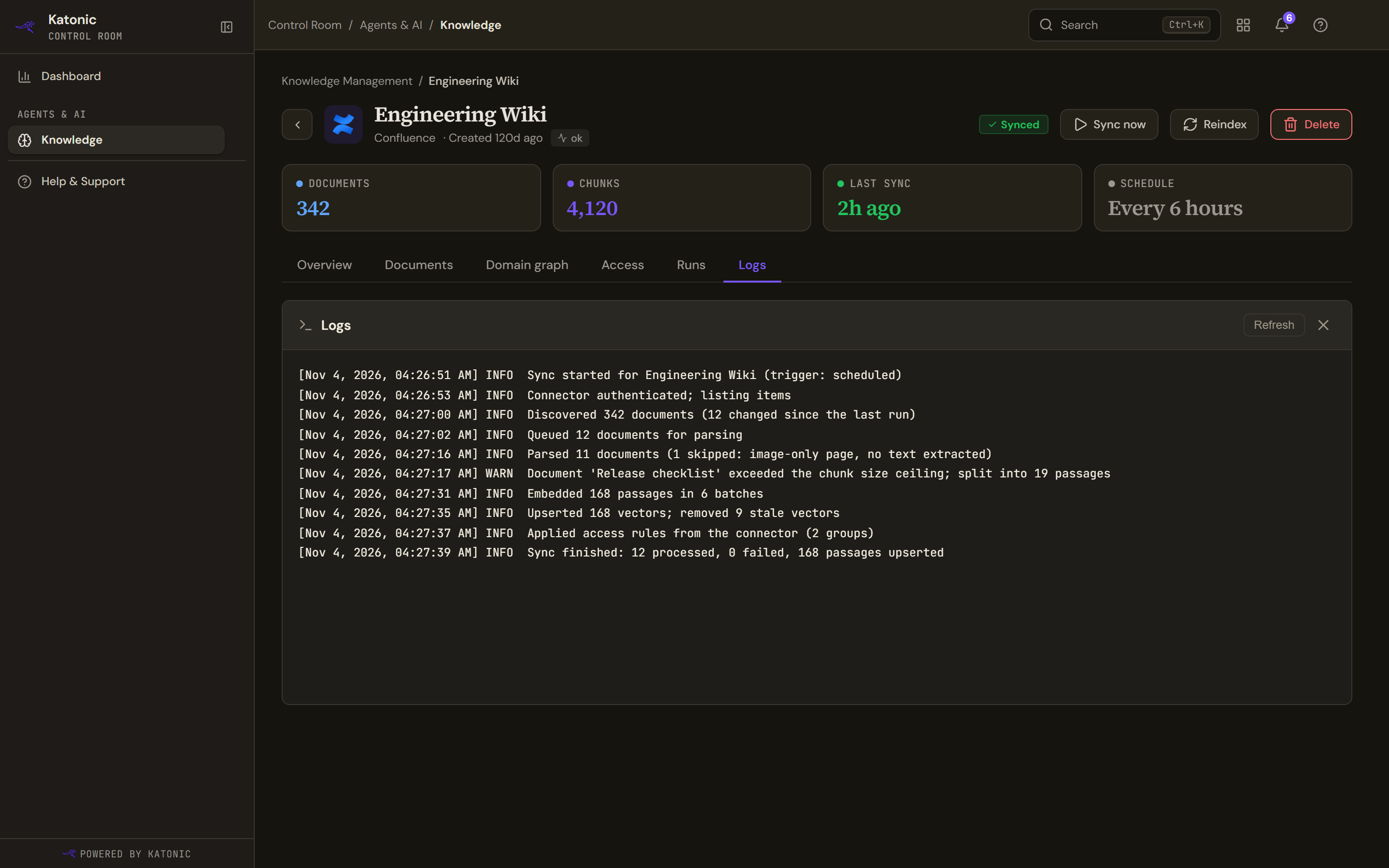
The Logs tab shows the engine's log lines for the source, each with a timestamp and a level. Select Refresh to fetch new lines; the panel does not refresh on its own. - Read the lines
Each line carries a timestamp, a level (INFO, WARN or ERROR) and the engine's message, oldest first; the panel scrolls to the newest line. While it fetches it says Loading logs...; with nothing recorded it says No sync logs available yet. Trigger a sync to generate logs. For a failed run, read the WARN and ERROR lines first.
Act on what you see
- Sync now, Pause and Start are described in Connect sources.
- Reindex asks you to confirm. The dialog says Re-embeds every passage from scratch using the current embedding model. Use this after changing chunking or the embedding model, or to clear stale vectors., shows Passages to re-embed, Est. time and Model, and notes that The source stays searchable with its existing embeddings until the reindex completes. No documents are deleted. Select Start reindex.
- Reindexing is not the tool for one document: use Re-index this document on the Documents tab, described in Browse and curate a source's documents.
Verify
After Sync now, the pill reads Syncing and then Synced, a new top row on Runs shows the run with Errors at 0 and Progress at Done, and Refresh on Logs shows the lines that run wrote.
Troubleshooting
- No sync runs yet - trigger a sync to see run history: select Sync now, or Start if the source is switched off. A Manual schedule never runs on its own.
- No sync logs available yet. Trigger a sync to generate logs. on a source that has run: the log could not be fetched. Select Refresh; if Couldn't load logs. appears or the text persists, ask your administrator to check the knowledge service.
- A run stays Syncing: leave the tab open; the page keeps refreshing while documents are pending or processing. If the engine restarted during a run, the source comes back Partial and its banner says why; Sync now picks up the rest.
- A run shows Errors: open Documents, filter by Failed, read each reason and retry. If the banner reads Sync Failed, read the error; a changed credential is fixed under Credentials, then Sync now.
- Partial that does not clear: compare the Documents tile with Total on the latest run. Documents the connector reported but could not deliver (Access denied or failed) keep the source partial until they index or are deleted.