Coordinate a team
Agents
Coordinate a team builds a coordinator: an agent that does no work itself and routes each incoming message to one of the specialist agents that already exist in your workspace. Use it when several agents each own a domain and users should not have to pick one.
Who can use it: the Builder role or higher, in a tenant licensed for agents. The specialists must be published agents you can see.
Recorded on .
- Start
Pick Coordinate a team, start Blank and Continue to build. Identity works as for any agent; Specialists and Routing are the coordinator's own sections.
- Specialists
Specialists lists the workspace's published agents with Kind and Owner filters; workflow agents are marked Can't delegate. Attach at least two. Overlap detected warns where specialists share keywords, Role here scopes each one for the router, and Preview routing gives a quick keyword estimate.
- Routing
The coordinator routes with the LLM router and the Router prompt, which auto-syncs from the specialists list. The Confidence threshold and the Fallback are saved but not enforced at run time yet.
- Test
Add a case with the plus button: a Test input and its Expected specialist. Run all gives each case a verdict, a routing trace and the Confusion matrix.
- Deploy
Ship this coordinator lists the channels, the rollout (Shadow is recommended), each specialist's deployment status and the A2A agent card. Pre-flight lists the checks; Publish to production stays blocked while a red row remains.
Prerequisites
- At least two published conversational agents to route to. Workflow agents cannot take a delegated turn.
- An owner team, as for any agent.
Pick the specialists
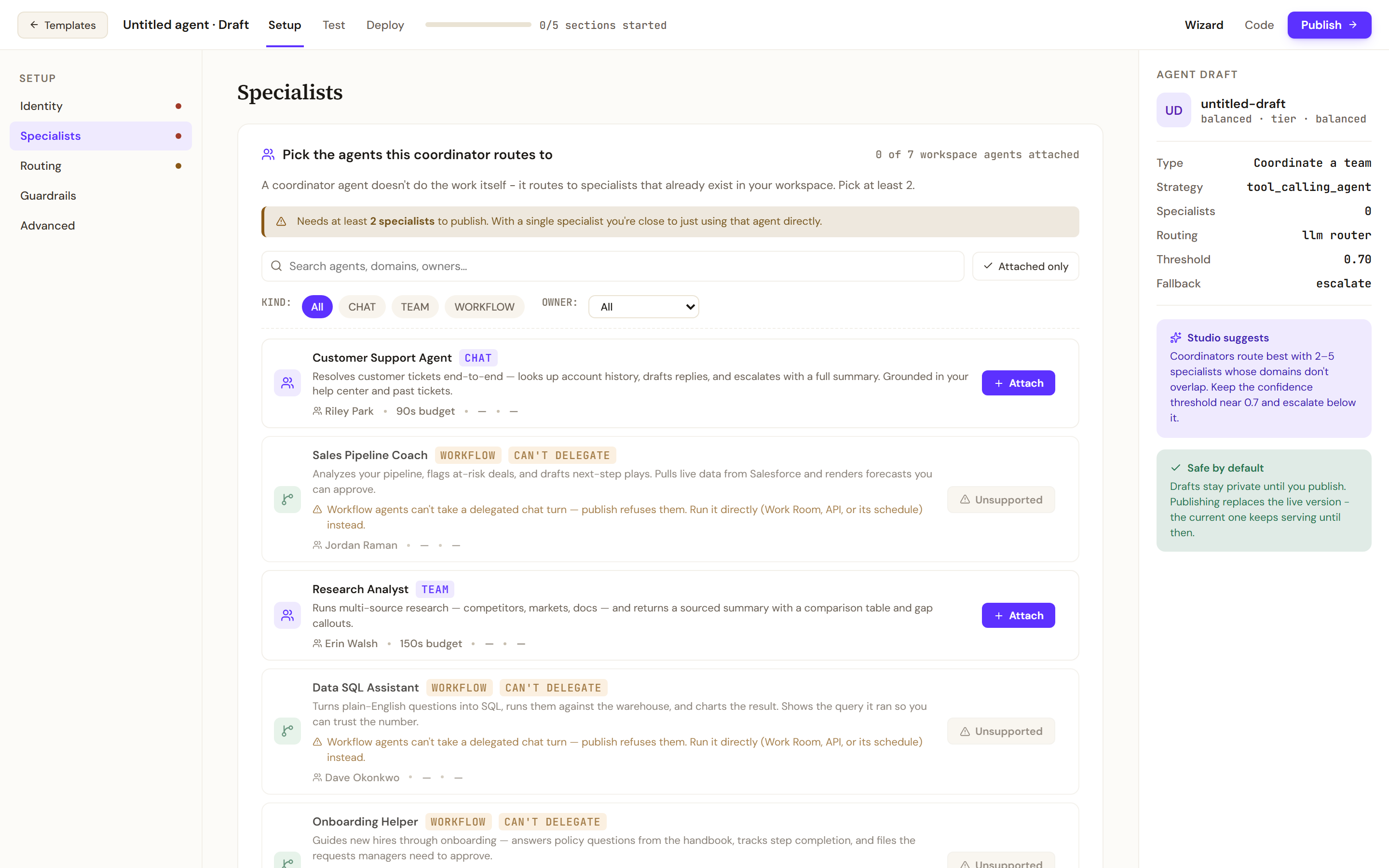
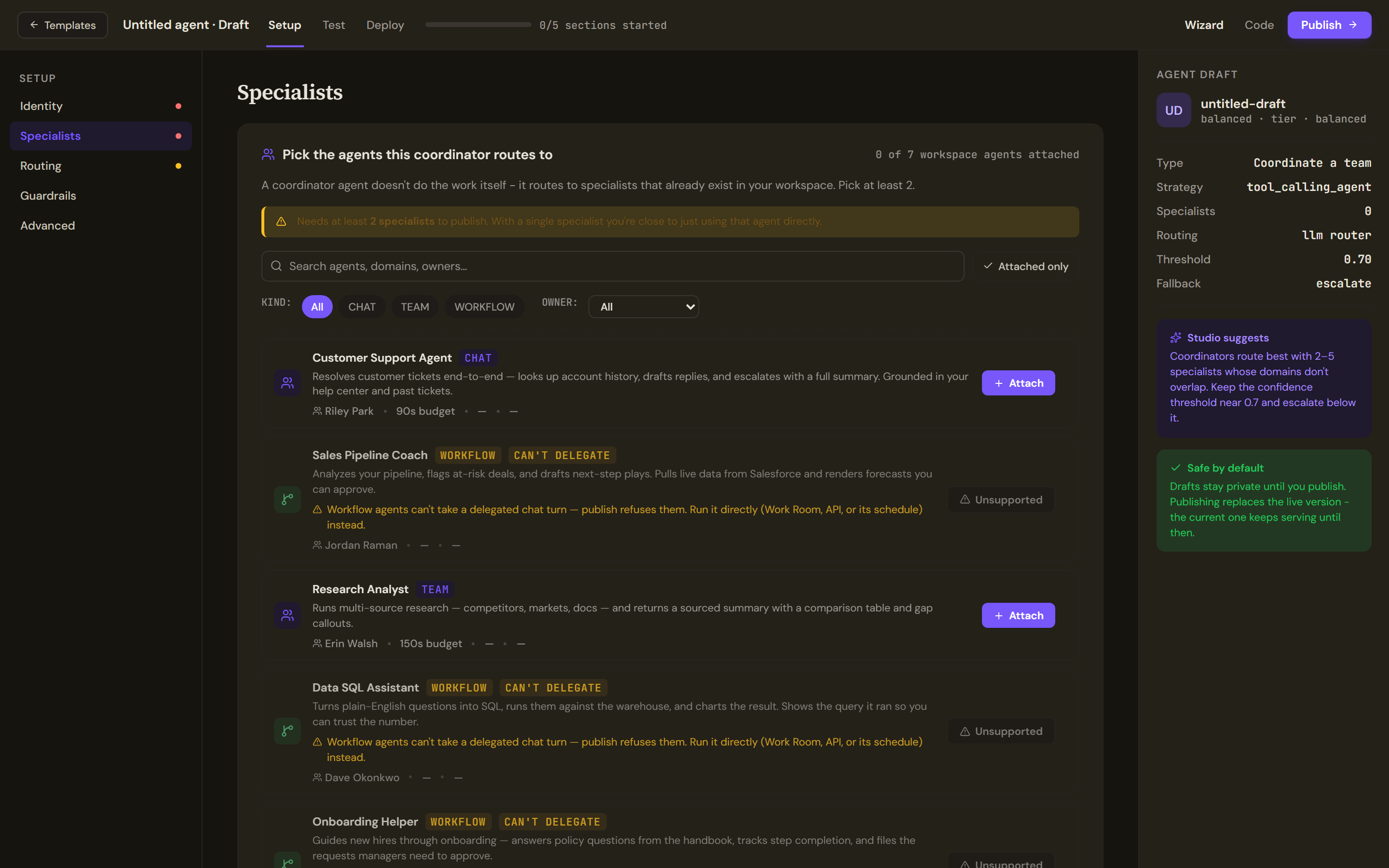
The Setup rail has five sections: Identity, Specialists, Routing, Guardrails and Advanced. Identity, Guardrails and Advanced work as in Build an answer agent.
Specialists lists the workspace's agents with Kind (Chat, Team, Workflow) and Owner filters and an Attached only switch. Each row names who created the agent and the time a delegated turn gets: 90 seconds for a chat agent and 150 for a team; the cost per turn and latency beside them read a dash, because the list does not carry them. Select Attach on each agent the coordinator should route to; at least two are needed to publish. Workflow agents are marked Can't delegate and cannot be attached: publish refuses them, so run them directly instead. The Remote specialists (A2A) card at the bottom is not available yet, and a team with a remote specialist is refused at publish. The draft rail shows the specialist count, the routing mode, the threshold and the fallback.
Set the routing
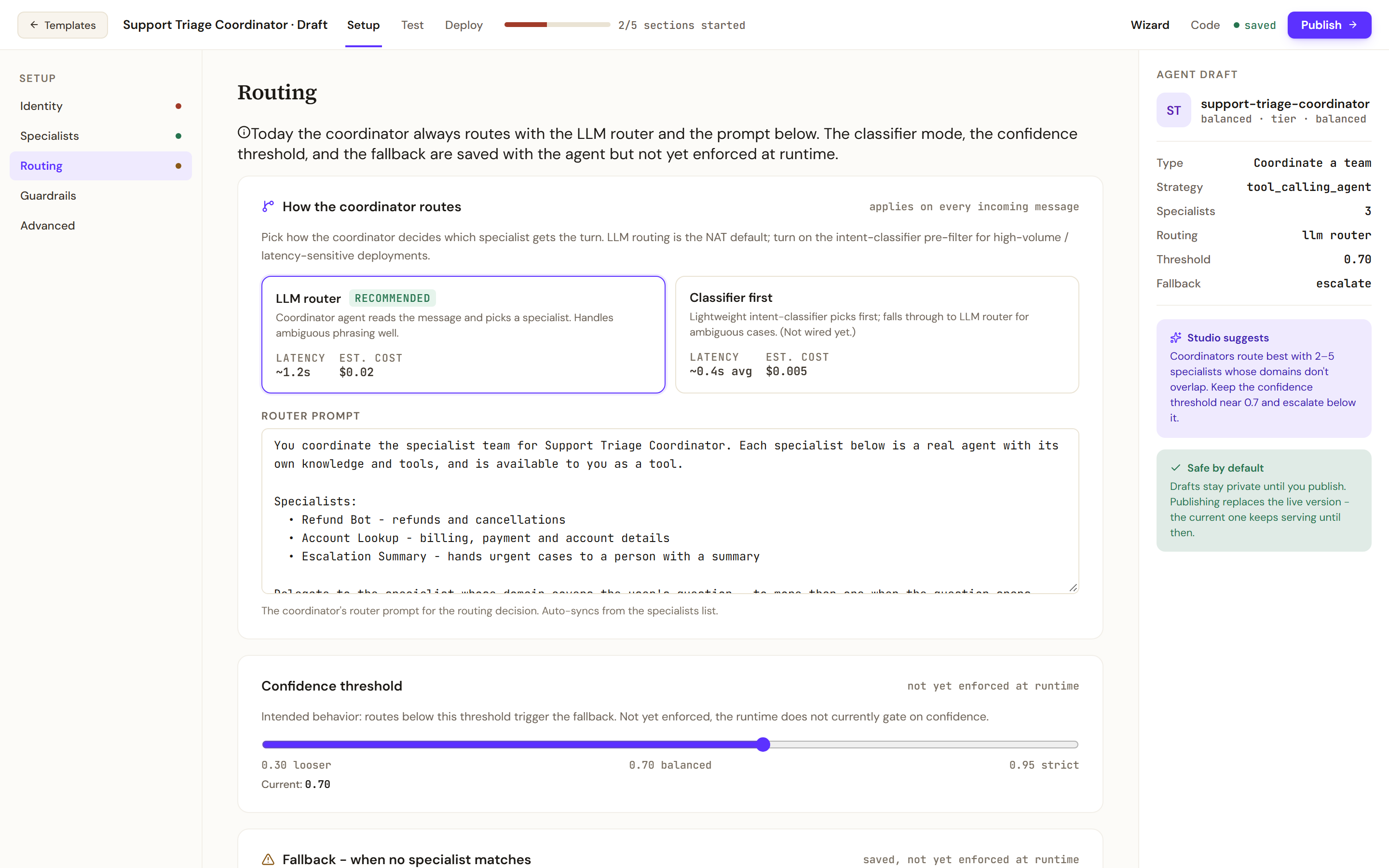
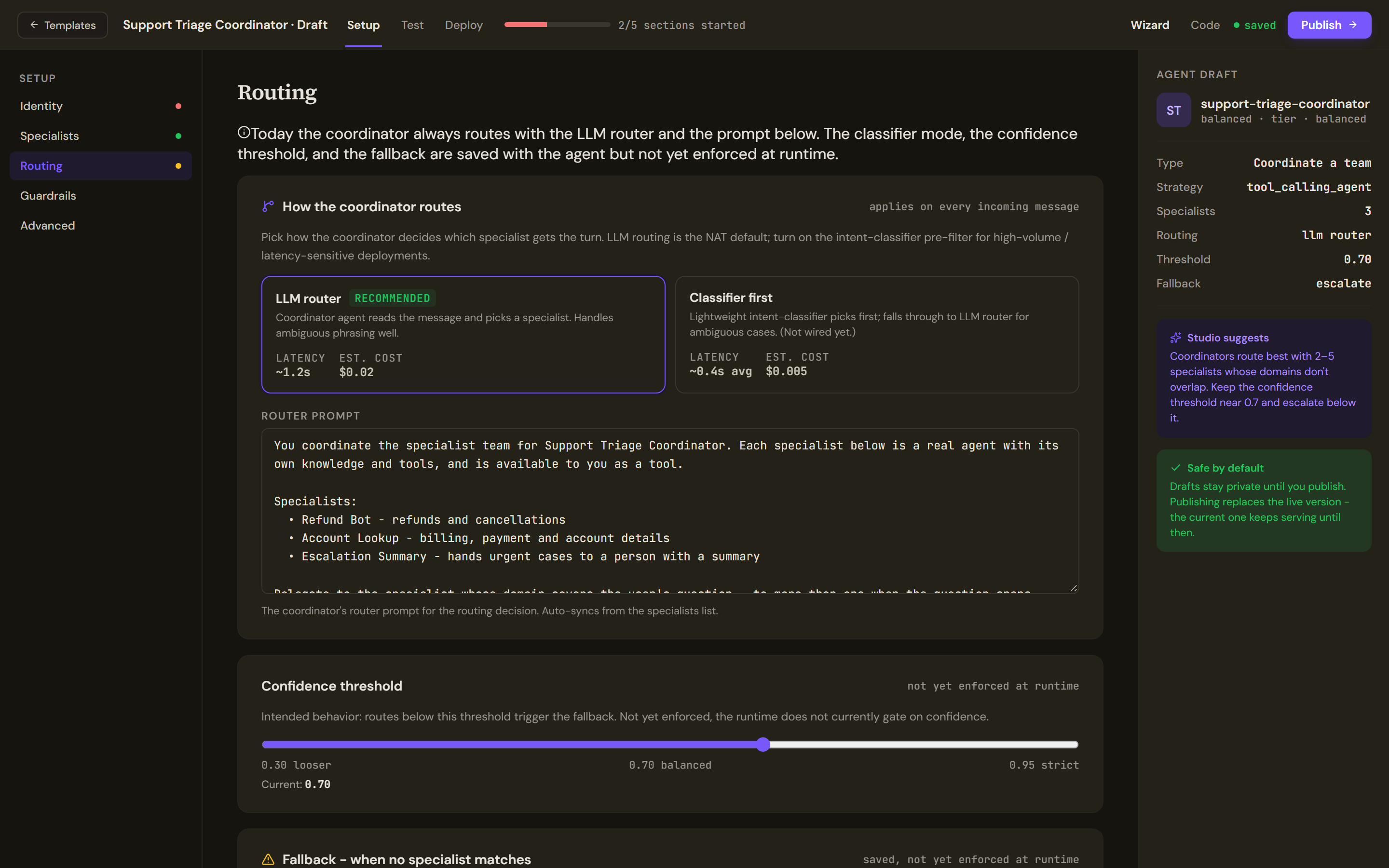
Today the coordinator always routes with the LLM router and the Router prompt below it, which auto-syncs from the specialists list; edit it to steer the decision. The other controls are saved with the agent but not yet enforced at run time, and the section says so at the top: Classifier first (a lightweight intent classifier before the LLM router) is not wired, the Confidence threshold does not yet gate routing, and the Fallback (Safe reply, Escalate to human, Broadcast to all, Refuse) is not yet acted on, so no reviewer or queue can be configured here. The human review path the runtime does enforce is a workflow approval step.
Test the routing
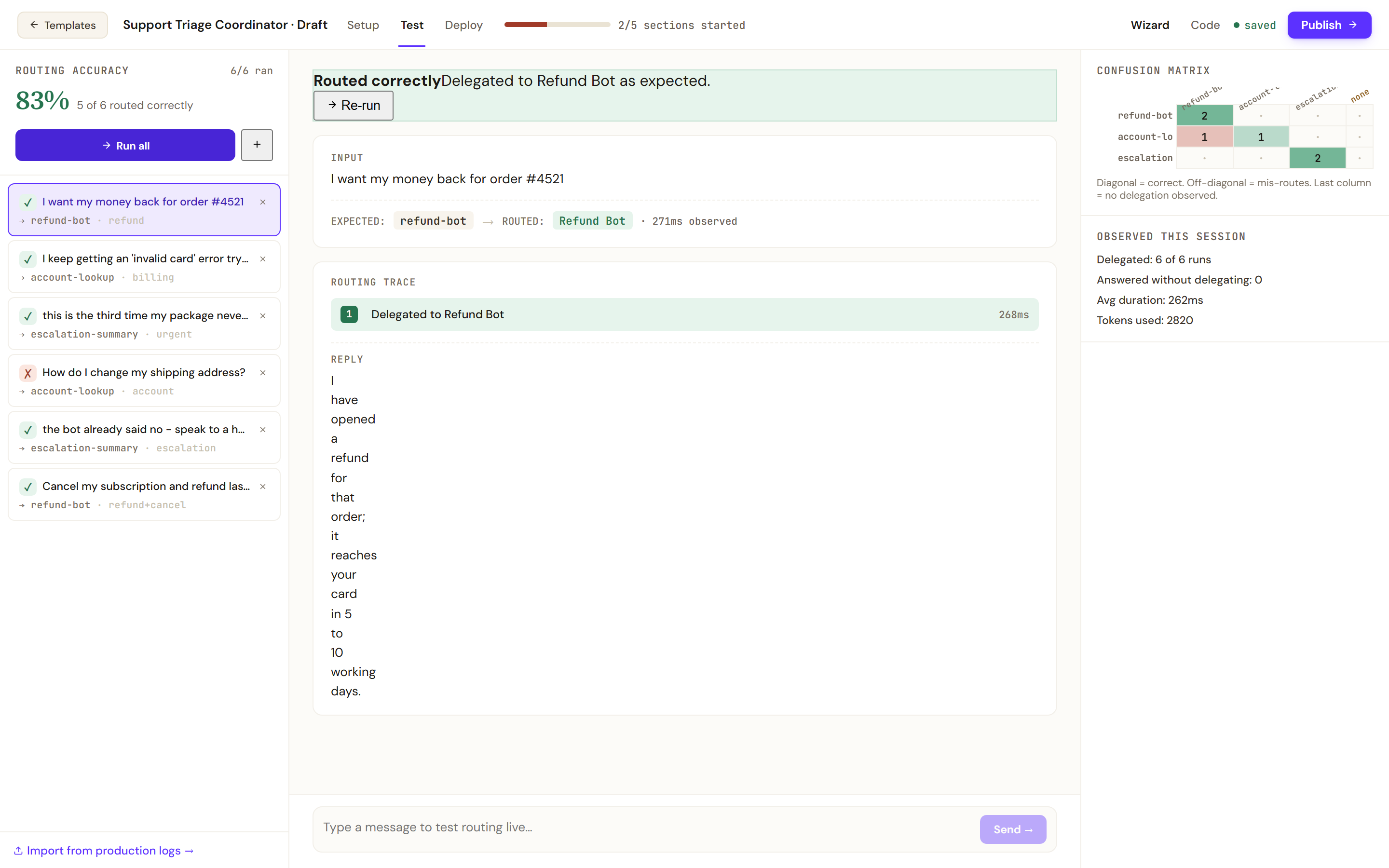
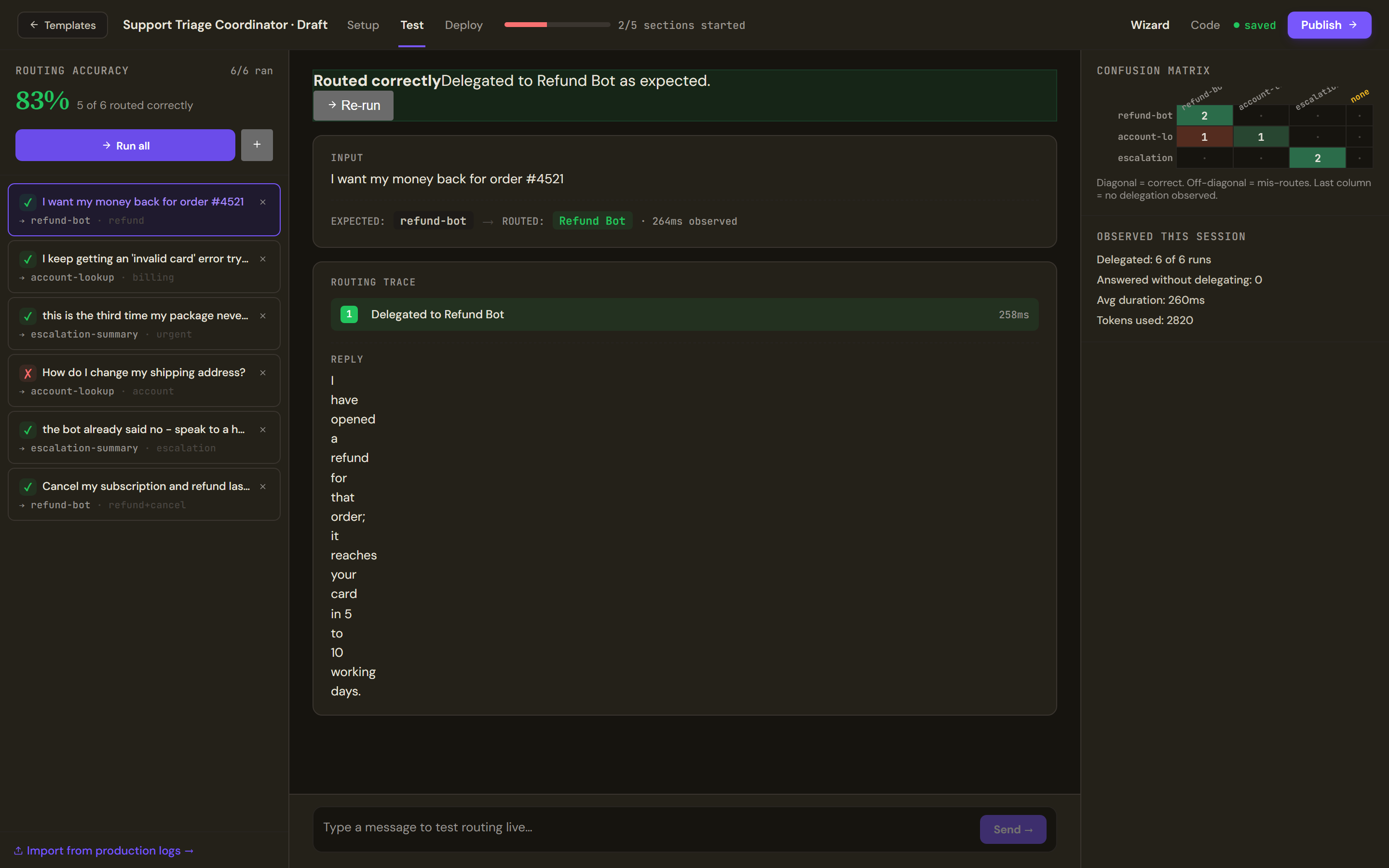
The Test tab measures routing accuracy. Each case is a message and the specialist expected to receive it; add one with the plus button, or type a Test input and its Expected specialist. Run all runs every case and records a verdict per case: Routed correctly, Mis-routed (with who received it), No delegation observed (the coordinator answered itself; read the reply and judge whether that was right) or Run failed. The Confusion matrix shows where the router confuses specialists (the diagonal is correct, the last column is no delegation), and Observed this session counts delegated runs, runs answered without delegating, errors, tokens and average duration.
Ad-hoc chat below the cases tests routing live but does not update the accuracy figure, and it needs at least two specialists attached. Cases whose expected specialist is no longer attached are flagged; re-attach the specialist or remove the case. Import from production logs opens once the coordinator is deployed and has traffic.
What the Deploy tab checks
Ship this coordinator lists the Sandbox, where the draft runs for tests and team-only chat, and the Channels enabled in production: MCP server, A2A endpoint, web widget, Slack mention, REST API and the command line. Slack is off unless the platform operator switches it on. Per-specialist rate limits (routes per minute) are saved but not yet enforced.
Production rollout offers Shadow (recommended for coordinators: runs the new router beside the live one and logs which specialist it would have picked, without serving its answers), Staged and Instant. Set rollout to Shadow saves the mode; it takes effect when you publish.
Specialist deployment status is read live from each specialist's deployment history: Active deployment, No active deployment (publish this specialist from its own page first), or a note that the history could not be read. Publish to production is blocked while any specialist has no active deployment; one whose history could not be read is a warning, not a block.
A2A can publish the coordinator as a discoverable agent: an agent-card address, capabilities, the protocol version, a Discoverable switch, the authentication callers need (none, a bearer token, OAuth 2.0 or a client certificate), and who may call (anyone with auth, the same organisation, or an allowlist), with Copy agent-card JSON and Validate. Routing observability picks the trace destination and how many routing decisions to sample.
The side rail's Pre-flight lists the checks: at least two specialists, a fallback set, a non-empty router prompt, routing accuracy measured against a 70% target, every specialist deployed, and the authentication mode when remotes are present. Configuration to publish states the draft's own values: specialists, router prompt, threshold, fallback, A2A endpoints and rollout mode. Publish to production stays blocked while a red row remains; the publish dialog also requires a router prompt of at least 30 characters.
Limits and behaviour
- The coordinator hands the whole turn to one specialist. To call other agents as tools within a turn, use the Agents card of an answer agent instead.
- A specialist added to the team must be deployed in the target environment before the team can be published there.
- The coordinator's Deploy tab has no environment rows beyond the sandbox; promotion happens from the agent's page.