The receipt on every answer
Every answer carries one small chip above it saying where it came from. It is the most important thing on the screen, because it is the difference between an answer drawn from your organisation's documents and one the model produced from its training.
Who can use it: everyone. The chips are shown to every role; only the reasoning trail beneath them is limited to Builders.
Recorded on .
Follow the video
- Grounded
Open any thread from Recent; the chip sits between the agent's name and the answer. Searched knowledge base, two sources, in green, means the answer used your organisation's documents. The numbered markers point to them. Hover a marker to read the passage, with Open source in new tab. The sources card beneath lists each document and passage, and each row opens the source.
- Controls
Under the answer, Good response and Bad response send feedback to the people who maintain the agent. Bad response offers three reasons: Incorrect, Fabricated or Formatting. Copy copies the text; Read aloud speaks it; Regenerate asks again, and version arrows step between the versions.
- Other chips
The first turn of a thread with no signal says Response based on AI model knowledge, not sourced from company data. Model knowledge means the agent has no knowledge base attached at all. Searched knowledge base - no matching results: the search ran and found nothing relevant. Knowledge base could not be searched is different again: something failed, and the answer is not from your documents.
- Delegated
Called 2 specialists means the agent delegated part of the work. Applied a skill can sit beside the grounded chip: a skill is a procedure the agent followed, not a source it read.
- Personal
Personal chat, with the model, is an answer from a model alone; Personal chat in the sidebar never consults company knowledge. Pick a model and ask; every answer here carries the Personal chat chip.
The chips, in the order the platform checks them
Exactly one of these appears, the first that applies.
| Chip | What it means |
|---|---|
| editing now or saved to (section) | In a working session, the answer is writing to the document |
| Answered by (specialist) | A specialist agent produced this answer |
| Personal chat, with the model | The answer came from a model alone, in personal chat |
| Response based on AI model knowledge, not sourced from company data | The first turn of a thread with no signal at all. Shown once per thread |
| Knowledge base could not be searched | The search failed. The answer is not from your documents |
| Searched knowledge base - no matching results | The search ran and found nothing relevant |
| Called a specialist or Called N specialists | The agent delegated part of the work |
| Searched knowledge base · N sources | The answer used your documents. The sources are listed beneath it |
| Model knowledge | The agent has no knowledge base attached at all |
| Answered without knowledge base search | The agent has a knowledge base and did not search it |
Applied a skill or Applied N skills can appear alongside the grounded chip, because a skill is a procedure the agent followed rather than a source it read.
The three worth reading twice
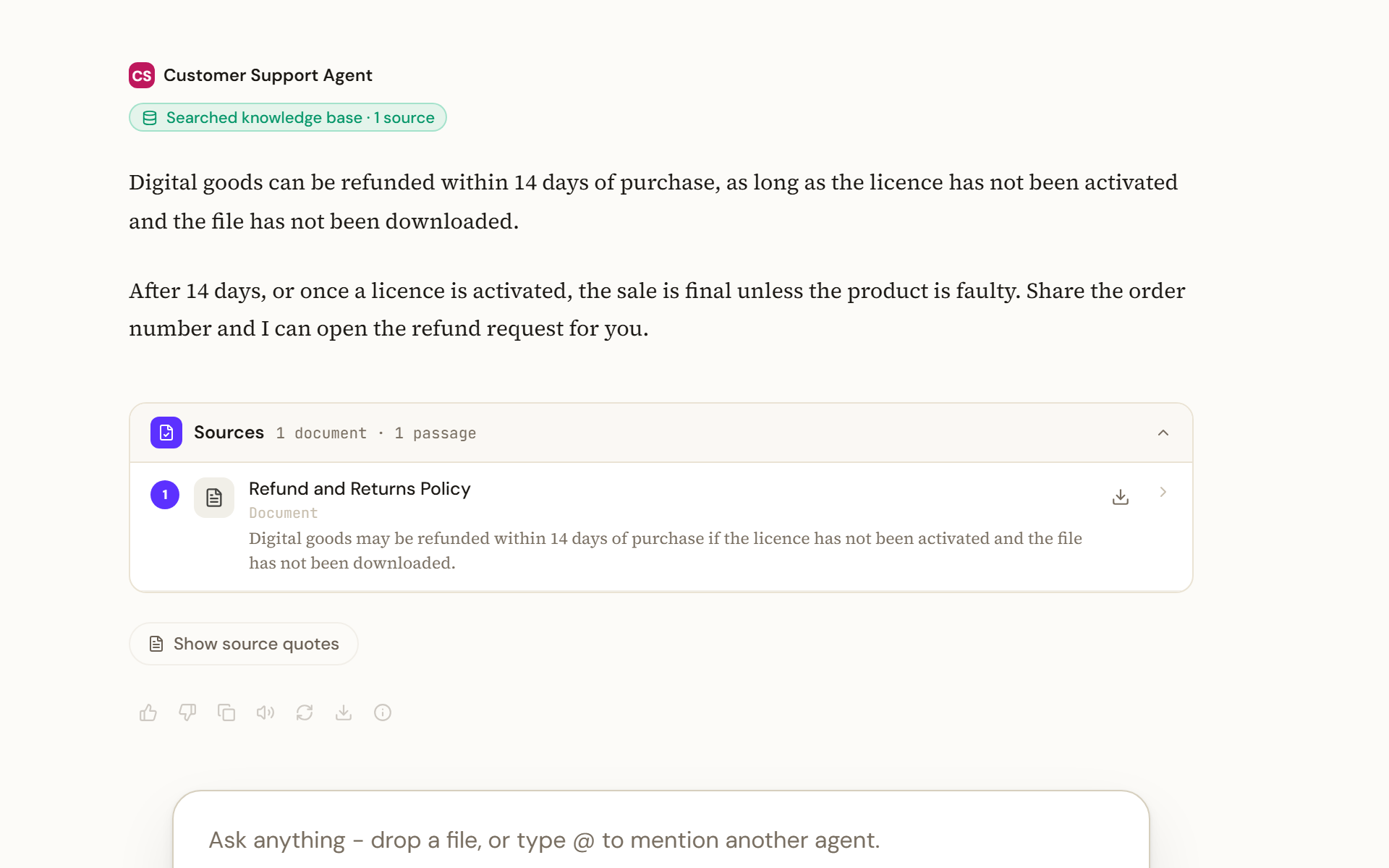
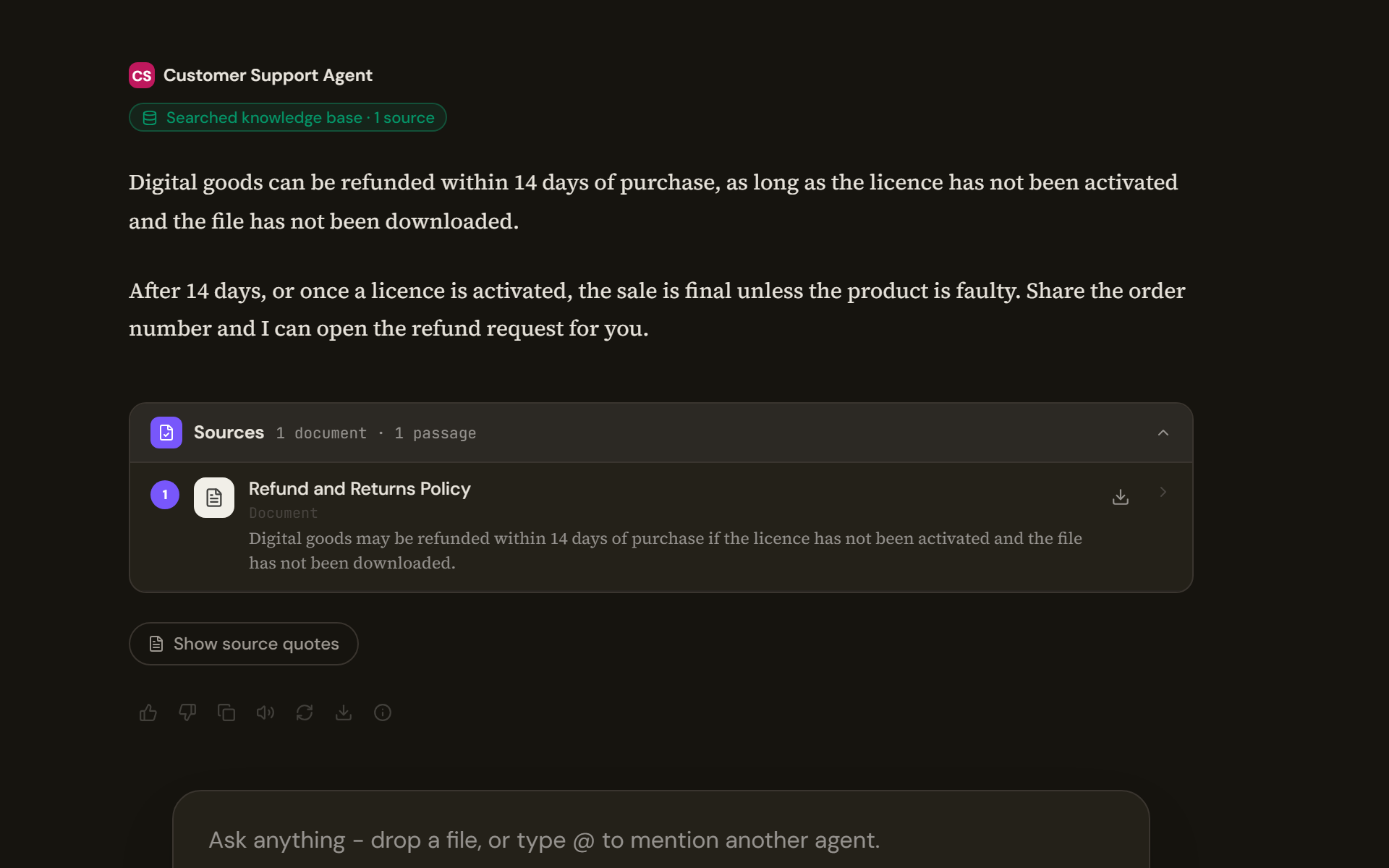
Searched knowledge base · N sources, in green, is the one that means what people hope every answer means. The sources card underneath lists each document and passage, and each row opens the source.
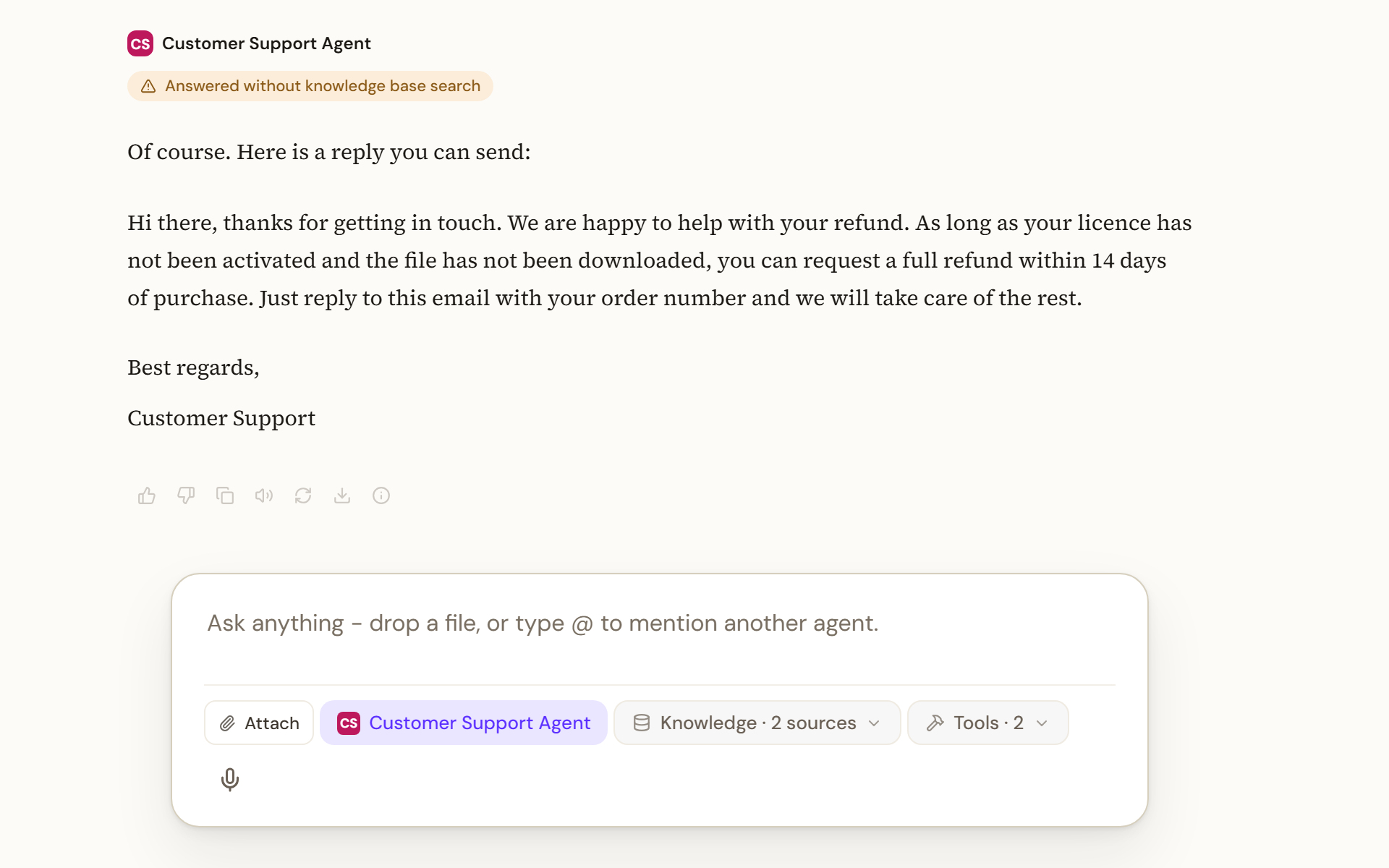
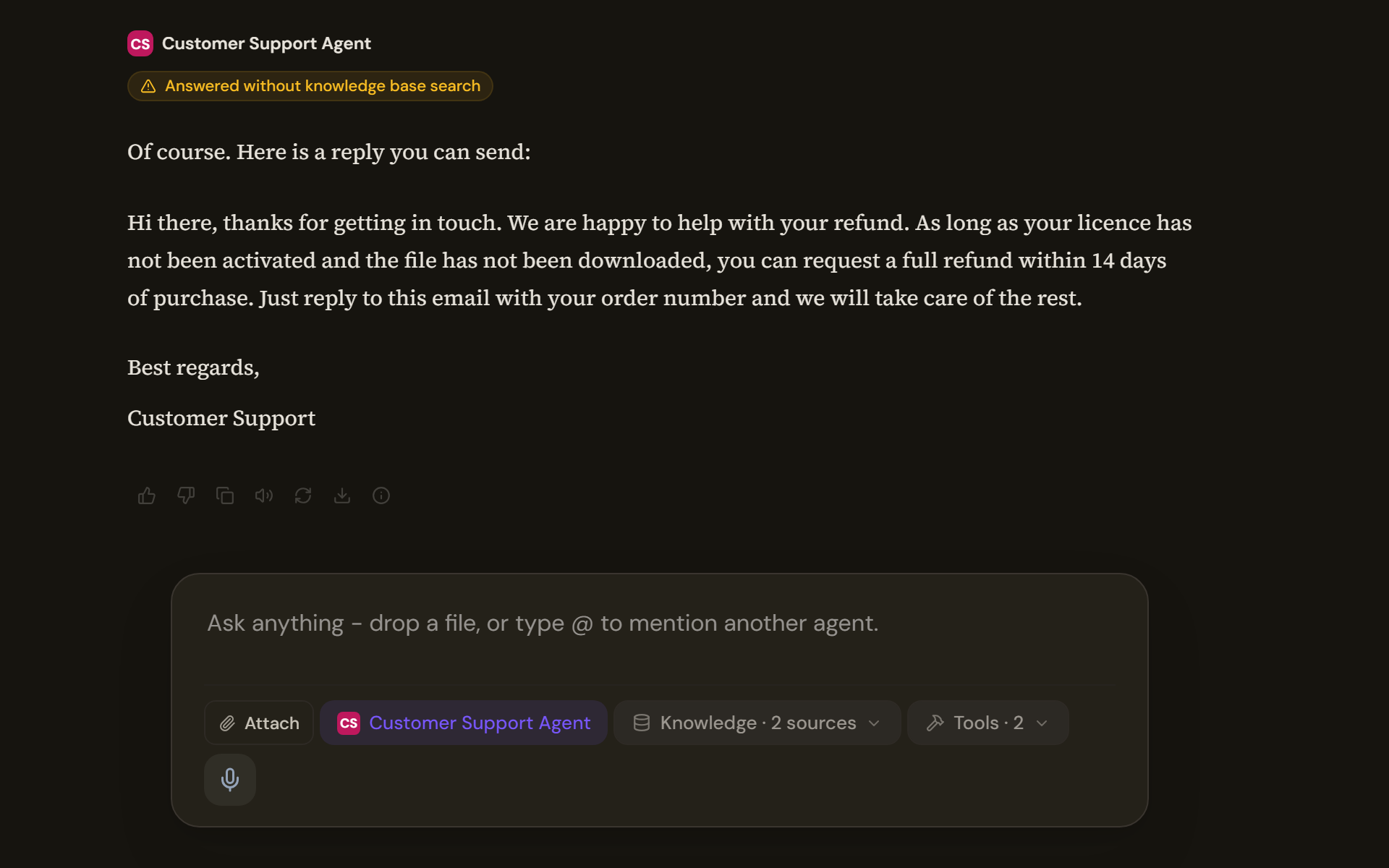
Answered without knowledge base search, in amber, means the agent had documents available and chose not to look. It never collapses, even on consecutive answers, because every ungrounded answer is a separate claim.
Knowledge base could not be searched is different again. Something failed. An earlier version reported a failed search as no matching passages, which sent people looking for documents that were there all along.
Confidence
A confidence pill appears only when the answer has documents behind it. Its wording comes from the platform rather than the page, and it carries a count of the sources.
Under the answer
| Control | What it does |
|---|---|
| Good response and Bad response | Feedback to the people who maintain the agent. Bad response offers three reasons: incorrect, fabricated, formatting |
| Copy | Copies the text, falling back to an older method where the browser refuses the clipboard |
| Read aloud | Speaks the answer. See Use your voice |
| Regenerate | Asks again. Hidden for a role that cannot chat |
| Version arrows | Step between regenerated versions of the same answer |
An empty answer
An answer that arrives empty says so in words rather than showing nothing. While streaming it reads Working…. Afterwards, one of two sentences appears with a retry: that it searched the knowledge base and had trouble summarising, or that it could not put together a response at all. The first means a search happened; the second means nothing did.
What Builders see
For a Builder or higher, a collapsible block above the answer shows the phases the agent went through and, when expanded, the searches, the tool calls with their durations, the model's own reasoning text and the call tree. A Member sees the final answer and the receipt only.